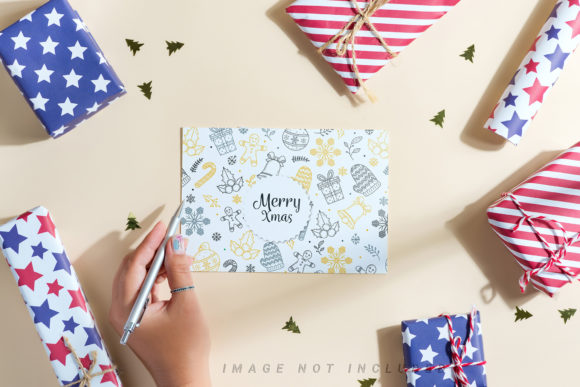
Christmas Mock-up Card Mockup
In the competitive landscape of digital marketing and holiday branding, visual presentation is paramount. For entrepreneurs, graphic designers, and content creators, the ability to showcase products or messages effectively during the festive season can significantly impact engagement and conversion rates. One tool that has gained traction for its efficiency and versatility is the Christmas Mock-up Card Mockup. This resource allows users to create professional-looking promotional materials without the need for complex 3D rendering software or expensive photoshoots.
This article provides an objective evaluation of this specific mockup bundle, exploring its features, benefits, potential tradeoffs, and ideal use cases. By understanding the technical specifications and practical applications, readers can determine whether this asset aligns with their design workflow and business goals.
Understanding the Product: What Is It?
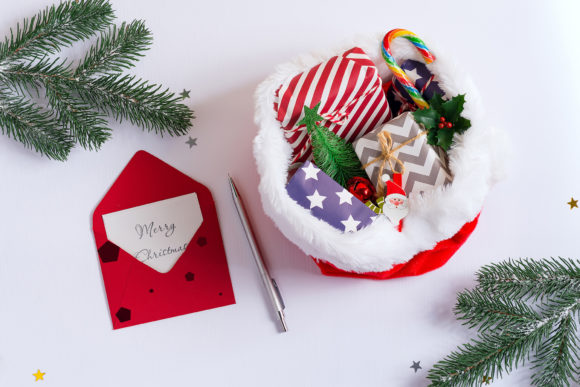
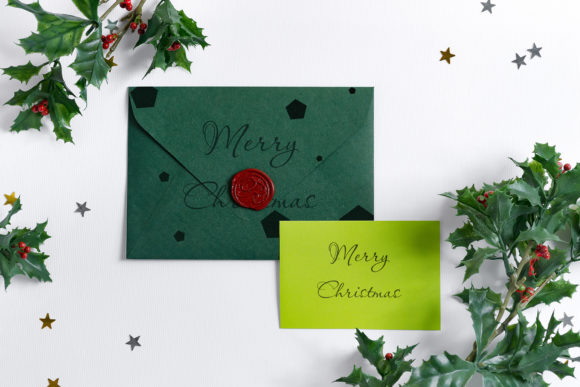
A Christmas Mock-up Card Mockup is a pre-designed template file, typically in Photoshop format (.PSD), that simulates a realistic scene. In this specific bundle, the scene features a festive card setup accompanied by gift boxes and a woman’s hand. The primary function of such a mockup is to serve as a canvas where designers can insert their own artwork—such as typography, logos, or illustrations—into a designated area known as a "smart object."
The core mechanism relies on Adobe Photoshop’s Smart Object feature. Users do not need to manually warp or perspective-correct their designs. Instead, they simply paste their flat design into the smart object layer, save the changes, and the mockup automatically updates to reflect how the design would look on the physical card within the scene. This process bridges the gap between digital creation and physical visualization, providing clients or customers with a tangible sense of the final product.
Key Features and Technical Specifications
When evaluating design assets, technical details play a crucial role in determining usability. This particular bundle offers several features that cater to both novice and experienced designers:
- High Resolution Output: The files are provided at full resolution, specifically sized at 6016 × 4016 pixels and 4016 × 6016 pixels. At a density of 300 DPI (dots per inch), these dimensions ensure that the images remain crisp and clear even when printed or displayed on high-definition screens.
- Versatile Orientation: With both horizontal and vertical aspect ratios included, the bundle supports various platforms. Horizontal formats are ideal for website headers, blog post backgrounds, and desktop social media posts, while vertical formats suit Instagram stories, Pinterest pins, and mobile-optimized web views.
- Safety Zone Technology: A notable feature of this mockup is the inclusion of a "Safety Zone." This refers to invisible boundary lines within the smart object layer. These zones indicate the safe area where text and critical design elements should be placed to avoid being cropped out or obscured by shadows and folds in the mockup. Activating the safety zone layer helps prevent common design errors.
- Realistic Photography: Unlike 3D renders or vector graphics, this mockup is based on actual photography. This lends a level of authenticity and texture—such as paper grain, lighting reflections, and natural hand positioning—that 3D models often struggle to replicate convincingly.
Benefits for Entrepreneurs and Designers
The adoption of a Christmas Mock-up Card Mockup offers several strategic advantages for businesses and creative professionals:
Time Efficiency
Creating custom 3D scenes from scratch can take hours or even days. Using a pre-built mockup reduces production time to minutes. For entrepreneurs managing multiple campaigns during the busy holiday season, this speed is invaluable. It allows for rapid iteration, enabling designers to test different color schemes or taglines quickly.
Enhanced Visual Appeal
Human psychology responds strongly to lifestyle imagery. The inclusion of a woman’s hand holding the card adds a human element, creating a connection with the viewer. This contextualizes the product, showing it not just as an object, but as something held, gifted, or appreciated. This emotional resonance can increase click-through rates on social media and improve brand perception.
Professional Presentation
For freelancers and agencies, presenting work in a mockup demonstrates professionalism. It shows clients how their abstract concepts will translate into real-world applications. This clarity can streamline the approval process and reduce back-and-forth revisions regarding layout and scale.
Considerations and Potential Tradeoffs
While the benefits are significant, there are limitations and considerations to keep in mind when selecting this type of asset.
Lack of Customizability in Lighting and Background
Because this is a photo-based mockup rather than a fully editable 3D scene, the background and lighting are fixed. If a brand’s aesthetic requires a specific background color change or a different lighting mood, this mockup may not be suitable. The design applied to the card does not influence the ambient lighting of the scene. Users must ensure that the existing color palette of the mockup complements their brand identity.
Typography Exclusions
It is important to note that typography is not included in the file. While this might seem like a drawback, it is actually a standard industry practice that offers greater flexibility. However, users must be prepared to source or create their own fonts. Ensuring font licensing compliance is the responsibility of the designer.
Software Dependency
Working with smart objects requires Adobe Photoshop or compatible software that supports PSD files. Designers using other tools may find it challenging to utilize these files without converting them, which could result in a loss of functionality.
Ideal Use Cases and Situations for Fit
This Christmas Mock-up Card Mockup is particularly well-suited for specific scenarios:
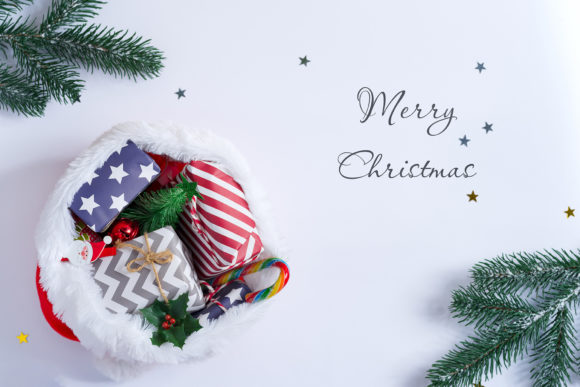
- Social Media Campaigns: The versatile sizes make it perfect for Instagram feeds, Facebook ads, and Pinterest boards. The "lots of space" for headlines allows brands to overlay bold promotional text directly onto the image.
- E-commerce Product Listings: Online sellers can use these mockups to display greeting cards, gift tags, or small packaged goods in a visually appealing way, reducing the need for costly physical photography setups.
- Blog Headers and Website Banners: The high-resolution nature ensures that the images look sharp on large monitors, making them excellent for hero sections of websites during the holiday season.
- Digital Magazines and E-books: Editors can use these visuals to break up text and add festive flair to digital publications.
Alternatives to Consider
Depending on specific needs, other options might be more appropriate:
- 3D Rendered Mockups: If complete control over camera angles, lighting, and background colors is required, 3D mockups (often created in Blender or Cinema 4D) are superior. They allow for infinite customization but require higher technical skill to edit.
- Canva Templates: For non-designers who do not have access to Photoshop, Canva templates offer a drag-and-drop solution. While less realistic than photo mockups, they are more accessible and easier to share.
- Custom Photography: For brands with unique product shapes or specific stylistic requirements, hiring a photographer to shoot custom mockups may yield the most authentic results, though at a higher cost and time investment.
Conclusion
The Christmas Mock-up Card Mockup with gift boxes and a woman’s hand is a robust tool for enhancing holiday marketing materials. Its combination of high resolution, user-friendly smart object technology, and realistic photographic quality makes it a strong choice for designers seeking efficiency without sacrificing aesthetics. The inclusion of safety zones further mitigates common design pitfalls, ensuring that critical elements remain visible.
However, users must weigh the fixed nature of the background against their need for customization. If your brand requires strict adherence to specific lighting or color palettes that differ from the mockup’s default setting, you may need to invest in more flexible 3D assets or custom photography. For most entrepreneurs and marketers looking to quickly produce engaging, festive content for social media and web platforms, this mockup bundle represents a practical and valuable addition to their design toolkit.