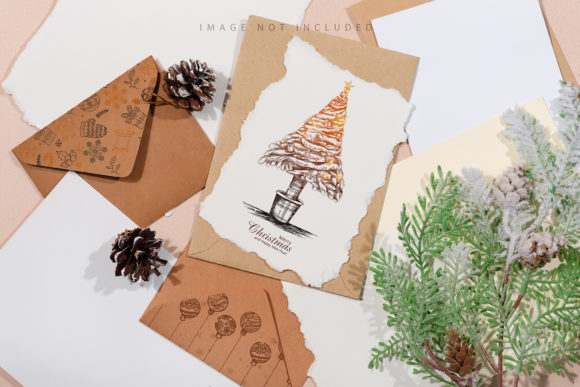
Christmas Craft Envelope with Gift Card: A Practical Review for Modern Creators
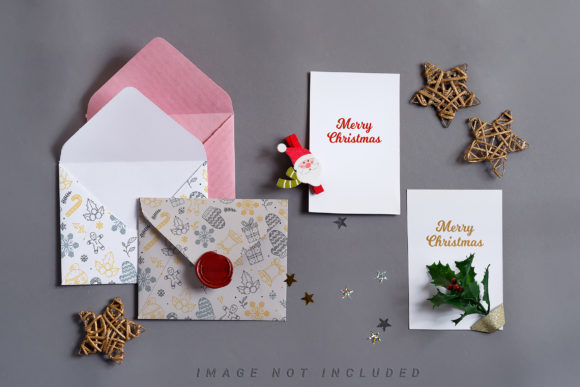
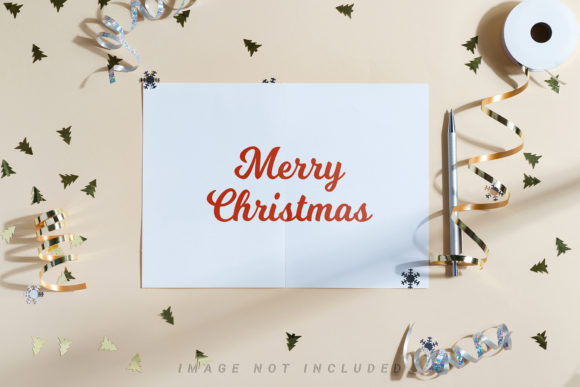
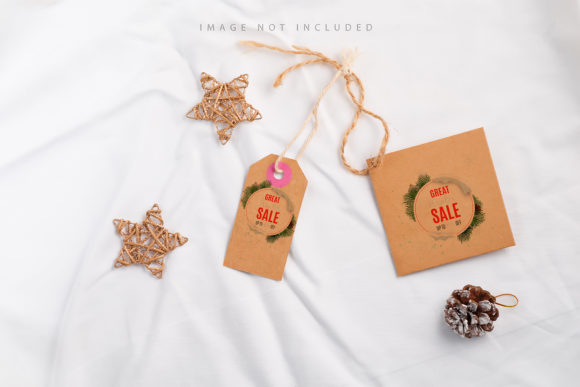
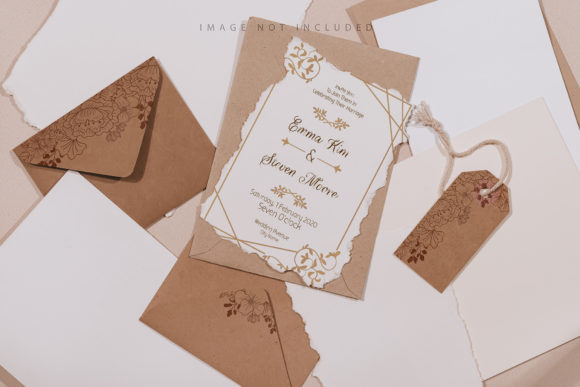
In the competitive landscape of digital marketing and content creation, visual assets serve as the primary vehicle for conveying brand identity and seasonal sentiment. The Christmas Craft Envelope with Gift Card mockup addresses a specific niche within this broader category: the need for realistic, high-fidelity representations of physical gifts in a digital format. For professionals ranging from small business owners to freelance graphic designers, the ability to present a flat design file as a tangible product is often the difference between a convincing pitch and a rejected proposal. This resource offers a streamlined approach to visualizing holiday campaigns without the logistical hurdles of photography.
Understanding the Core Functionality
At its foundation, this asset is a 6016×4016 pixel Photoshop document designed to bridge the gap between digital design and physical presentation. Unlike generic templates that rely on static layers or complex 3D rendering engines, this tool utilizes active smart objects to allow for rapid iteration. The workflow is intentionally straightforward: a user pastes their design into the designated smart object layer, saves the file, and the system automatically applies the necessary perspective, lighting, and texture mapping. This mechanism ensures that the final output retains the crispness of vector graphics while appearing as if it were printed on textured paper stock.
The inclusion of documentation alongside the .psd file is a critical component for users who may not be seasoned Photoshop experts. It provides clear instructions on how to navigate the layer structure, ensuring that the integration process does not become a bottleneck in the production schedule. By focusing on usability, the template reduces the learning curve associated with advanced compositing techniques, allowing creators to focus more on the creative strategy behind the gift card design itself.
The Role of the Safety Zone
One of the most technically significant features of the Christmas Craft Envelope with Gift Card is the implementation of a safety zone. In professional print design, margins are essential to prevent critical information from being cut off during the trimming process. This mockup replicates that real-world constraint by providing visible lines that delineate the safe area within the smart object. Users can activate these layers to visualize exactly where elements must remain to ensure they are fully visible in the final composition.
This feature serves a dual purpose. First, it acts as an educational tool, reinforcing good design habits regarding negative space and margin management. Second, it protects the integrity of the artwork. Without such guidance, designers might inadvertently place logos or text too close to the edges, resulting in a visually compromised image when the mockup is applied. The safety zone ensures consistency across all generated images, maintaining a professional standard regardless of the designer's experience level.
Evaluating Quality and Technical Specifications
Resolution is a non-negotiable factor for any asset intended for commercial use. With a resolution of 300 DPI, this mockup meets the rigorous standards required for high-quality print reproduction and sharp web display. The dimensions of 6016×4016 pixels provide ample room for cropping and scaling, making the asset versatile for various platforms, from social media banners to email headers. The high resolution ensures that when the design is zoomed in or printed at large sizes, no pixelation occurs, preserving the premium feel of the Christmas craft aesthetic.
It is important to note that this is a photorealistic representation, not a 3D model or a vector illustration. This distinction is vital for managing expectations. The background and the inherent color of the envelope do not change dynamically; the template relies on a fixed photographic base. Consequently, the "design applied typography" is not included, requiring the user to supply their own text elements. While some might view this as a limitation, it actually offers greater flexibility. Designers are not forced to work within pre-set font choices but can instead integrate their brand's specific typographic voice directly into the smart object.
Practical Application in Professional Workflows
The utility of the Christmas Craft Envelope with Gift Card extends beyond simple visualization. For entrepreneurs and marketers, this asset facilitates the creation of compelling promotional materials. Imagine a scenario where a boutique owner wants to launch a holiday gift card campaign. Instead of waiting weeks to photograph a prototype, they can apply their digital design to this mockup instantly. This speed allows for agile marketing strategies, enabling the testing of different designs against potential customers before committing to a full print run.
Freelancers and agencies benefit significantly from the time-saving aspects of the active smart object system. When pitching concepts to clients, presenting a flat JPEG of a logo is less impactful than showing a rendered image of the logo on a festive envelope. This psychological shift—from abstract concept to tangible product—can accelerate client approval processes. Furthermore, the consistent application of shadows, folds, and paper textures lends an air of authenticity that is difficult to achieve with basic overlays.
However, the effectiveness of this tool depends heavily on the quality of the input design. Since the mockup applies realistic lighting and shading, a poorly composed or low-resolution source file will result in a subpar final image. The technology amplifies what is already there; it cannot fix fundamental design flaws. Therefore, users should ensure their initial artwork is optimized for the specific dimensions of the smart object before saving the file.
Limitations and Considerations
No single asset fits every conceivable use case. The static nature of the background means that users seeking to change the environment entirely—for example, placing the envelope on a wooden table versus a snowy surface—will find the options limited. The tool excels at showcasing the envelope itself but does not offer the environmental versatility of a full 3D scene builder. Additionally, because the design color does not change, users cannot easily simulate different paper colors (e.g., gold foil vs. matte white) without editing the underlying layers manually, which may require intermediate knowledge of Photoshop blending modes.
Despite these constraints, the trade-off favors efficiency. For projects where the focus is strictly on the envelope design and the gift card insert, this mockup provides a dedicated, high-quality solution. It avoids the complexity of managing multiple 3D layers or adjusting light sources manually, offering a reliable "plug-and-play" experience that delivers consistent results.
Who Should Utilize This Resource?
This mockup is particularly well-suited for individuals and teams who prioritize speed and visual clarity. Small business owners launching holiday promotions will find the ease of use invaluable for creating marketing collateral quickly. Educators teaching graphic design can use the safety zone feature to demonstrate proper layout principles. Bloggers and publishers looking to create engaging affiliate posts or sponsored content can leverage the high-resolution output to produce professional-looking thumbnails and featured images.
For serious hobbyists, the asset offers a way to elevate personal projects. Whether designing invitations for a family event or creating custom stationery for friends, the 300 DPI quality ensures the final product looks polished enough to be shared publicly or even printed. The inclusion of documentation further democratizes access to high-end design tools, making professional-grade presentation accessible to those who may not have extensive technical training.
Final Thoughts on Value and Integration
The Christmas Craft Envelope with Gift Card stands out as a practical tool in a market saturated with overly complex or generic templates. Its strength lies in its focused functionality: it does one thing exceptionally well and executes it with technical precision. The combination of high resolution, active smart objects, and built-in safety zones creates a workflow that is both robust and efficient.
While it lacks the dynamic environmental controls of 3D software, its simplicity is its greatest asset. It removes the friction often associated with mockup creation, allowing designers to concentrate on the core message of their holiday campaign. For anyone needing to present a digital design as a physical reality in a short timeframe, this resource offers a reliable, high-quality solution that respects the user's time and enhances the perceived value of their work.