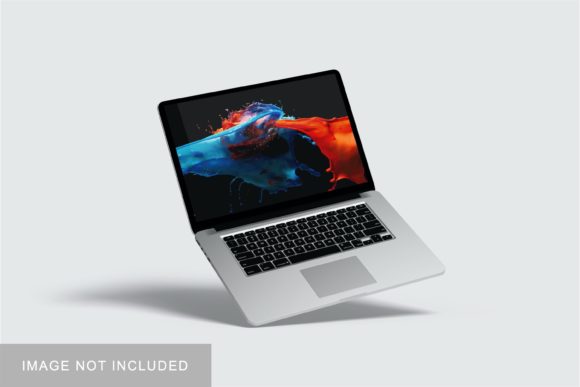
Macbook Pro Mockup V1: Professional Presentation Tool
When you have spent hours refining a brand identity, designing a sleek app interface, or crafting the perfect layout for a digital publication, the final presentation is just as critical as the work itself. This is where Macbook Pro Mockup V1 steps in as an essential asset for any creative professional. It is not merely a template; it is a bridge between your raw design files and a polished, client-ready visual that communicates quality and attention to detail.
In the competitive landscape of modern marketing and design, how your work is displayed can significantly influence perception. A flat image often fails to convey depth, texture, and realism. By utilizing this mockup, designers can showcase their projects within a realistic 3D display that mimics the premium aesthetic of Apple’s hardware. This tool allows you to present your design assets in a context that feels tangible and high-end, elevating your portfolio and sales materials instantly.
The Visual Appeal and Realistic Display
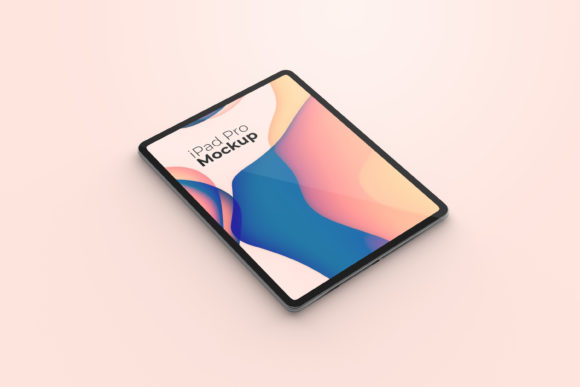
Macbook Pro Mockup V1 is designed with a minimalist yet sophisticated personality. The visual characteristics focus on clean lines, accurate lighting, and subtle shadows that ground the device in its environment. Unlike generic templates that feel artificial or overly staged, this mockup strikes a balance between professional neutrality and stylish appeal. The screen area is rendered with high fidelity, ensuring that your designs are not distorted or obscured by unrealistic glare or curvature.
The overall appeal lies in its versatility. Whether you are showcasing a web design project, a mobile application interface, or a corporate brand identity, the MacBook serves as a neutral canvas that lets your content shine. The device’s sleek aluminum finish suggests technology, innovation, and precision—qualities that align well with digital products and modern branding. For entrepreneurs and small business owners, presenting their website or logo on such a recognizable and respected piece of hardware adds an implicit layer of credibility. It signals that the product behind the design is built with care and meets industry standards.
This realistic 3D display helps potential clients or employers visualize the end result more effectively. In editorial design or packaging design, seeing a concept applied to a real-world object helps stakeholders grasp the scale and usability of the design. The mockup eliminates the guesswork, providing a clear, convincing preview of how the final output will look when viewed on a daily-use device.
Simplicity Meets Efficiency in Workflow
One of the most significant advantages of using Macbook Pro Mockup V1 is the efficiency it brings to your workflow. Available in PSD Photoshop format, it leverages smart-object features to streamline the process of replacing placeholder images with your own designs. For designers who manage multiple projects or need to create variations for different clients, this feature is invaluable. You can swap out your current designs with your own within seconds, without needing to manually adjust layers, masks, or perspectives.
The ease of use extends beyond just swapping images. The file includes a PDF help guide, which ensures that even those less familiar with advanced Photoshop techniques can navigate the template with confidence. This accessibility makes it suitable for a wide range of users, from seasoned graphic artists to hobbyists and content creators who want to produce professional-looking materials without a steep learning curve. The ability to change the background color further enhances its utility, allowing you to adapt the mockup to match specific brand palettes or create diverse visual compositions for social media graphics.
Ideal Applications Across Creative Industries
The applications for this mockup are extensive, spanning various sectors of the creative economy. For logo design specialists, placing a newly created mark on the MacBook screen offers a clean, centered presentation that highlights symmetry and clarity. In the realm of social media graphics, these mockups serve as excellent templates for promotional posts, allowing brands to showcase their digital presence in a relatable way.
Marketers and publishers can utilize this tool for commercial font showcases or e-book covers. By displaying typography on a high-resolution screen, you can demonstrate legibility and style in a way that static text cannot. Similarly, web designers can use the mockup to present landing pages or dashboard interfaces, giving clients a sense of the user experience. For crafters and indie authors, it provides a professional touch to self-published works or custom merchandise designs, helping them compete with larger publishers in terms of visual presentation.
The mockup also supports font pairing demonstrations. If you are a type designer or a stylist offering modern typography services, showing how a primary sans serif font pairs with a secondary serif font on a device screen can help clients understand the hierarchy and readability of the chosen combination. This practical demonstration is far more effective than viewing fonts in isolation.
Technical Specifications and Best Practices
To get the most out of Macbook Pro Mockup V1, understanding its technical specifications is key. The file size is 3000x2000 pixels at 300 dpi, which ensures crisp, high-quality output for both digital and print uses. This resolution is sufficient for large-format prints, such as posters or banners, while remaining optimized for web delivery. When preparing your designs for insertion, ensure they are sized appropriately to fit the screen area without unnecessary whitespace or cropping.
Readability considerations should always guide your design choices. Even with a perfect mockup, if the contrast between your text and background is poor, the presentation will fail. Use the mockup to test how your creative font or body copy holds up under simulated lighting conditions. Check for any loss of detail in gradients or fine lines, as the perspective might slightly alter perception.
Furthermore, remember that the photos used in previews are for illustration purposes only. Always replace them with your actual project files to maintain authenticity. Regarding licensing, verify the commercial usage rights before deploying the mockup for client work or promotional materials. While the mockup itself is a powerful tool, respecting intellectual property guidelines ensures ethical and legal compliance in your professional practice.
Ultimately, Macbook Pro Mockup V1 is more than just a template; it is a strategic element in your design toolkit. By combining realistic aesthetics with user-friendly functionality, it empowers you to present your work with the professionalism it deserves. Whether you are building a brand identity from scratch or refining an existing project, this mockup helps you communicate value, clarity, and style to your audience effectively.