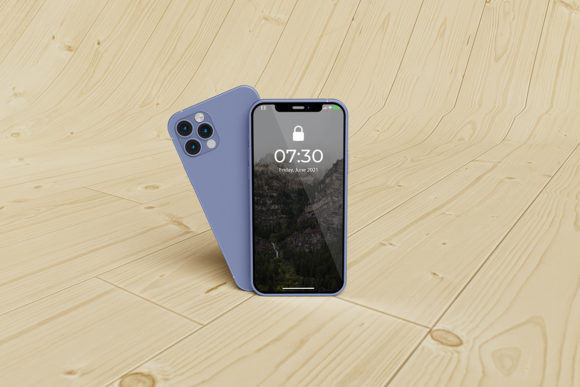
Standing Smartphone Mockup for Designers
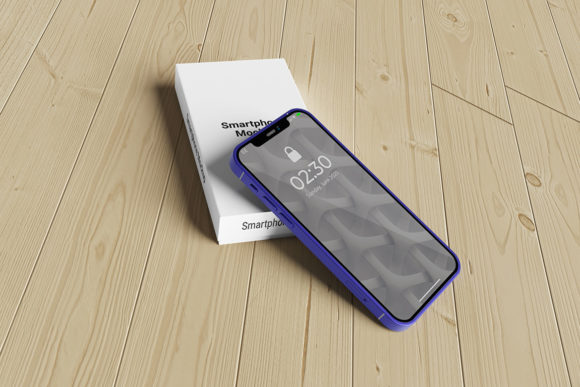
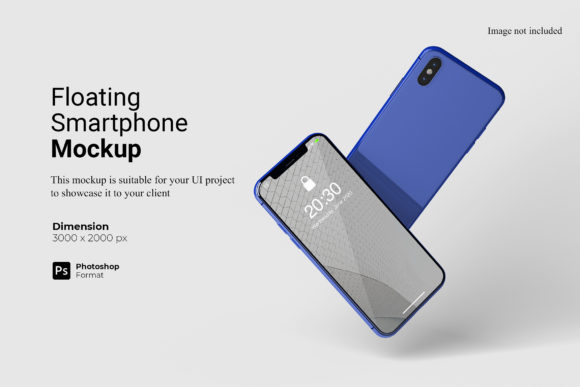
In the digital age, how you present an idea is just as critical as the idea itself. For app developers, UI/UX designers, and marketers, the visual representation of a mobile interface can make or break a client’s first impression. This is where a Standing Smartphone Mockup becomes an indispensable asset in your workflow. It is not merely a static image; it is a professional tool designed to showcase your designs in a realistic 3D display that captures attention and conveys quality.
Unlike flat screenshots that can feel generic or disconnected from reality, a standing smartphone mockup places your work within a context that users recognize instantly. It bridges the gap between abstract code and tangible user experience. Whether you are pitching a new banking app to investors or sharing a portfolio piece on social media, the difference between a plain screenshot and a polished mockup is often the difference between being ignored and being hired. This guide explores why this specific format matters, who benefits most from using it, and how to leverage its features effectively.
Why Realism Matters in Digital Presentations
The human brain processes visual information faster than text. When a potential client or employer looks at your design work, they are subconsciously evaluating the professionalism of the presentation alongside the quality of the design itself. A Standing Smartphone Mockup provides that necessary layer of realism. By simulating a physical device standing upright, it mimics the environment in which the end-user will interact with the application.
This realism serves several psychological purposes:
- Tangibility: It makes the digital product feel real and ready for launch.
- Context: It shows how the design scales and adapts to screen boundaries.
- Professionalism: It signals that you care about the details of your craft.
For beginners, this might seem like superficial decoration. However, experienced professionals know that presentation is part of the service. A clean, well-rendered mockup suggests that the underlying design is equally clean and well-structured. It reduces cognitive load for the viewer, allowing them to focus on the functionality and aesthetics of the interface rather than trying to imagine it on a device.
Understanding the Technical Advantages
Not all mockups are created equal. The specific features of a high-quality Standing Smartphone Mockup file can significantly impact your efficiency and the final output. Most premium mockups come in PSD (Photoshop) format, leveraging advanced smart-object technology. This is a crucial distinction for anyone looking to integrate these tools into their daily routine.
The Power of Smart Objects
Smart objects are layers in Photoshop that allow you to replace content non-destructively. Instead of manually cropping, resizing, and masking your design into a phone frame—a process that is time-consuming and prone to errors—you simply double-click the smart object layer. Your design opens in a separate window, you paste your work, save, and close. The mockup updates instantly. This feature is particularly valuable for:
- Speed: You can generate multiple variations of a single design in seconds.
- Accuracy: The perspective and lighting of the original mockup are preserved perfectly.
- Flexibility: You can swap out colors, devices, or backgrounds without starting over.
For freelancers managing tight deadlines, this speed is invaluable. For educators teaching design principles, it allows students to focus on layout and typography without getting bogged down by complex layer management techniques.
Resolution and Scalability
A standard requirement for professional print and high-resolution web displays is a resolution of 300 DPI. Many free resources online offer low-resolution images that look pixelated when zoomed in or printed. A robust Standing Smartphone Mockup typically offers a size of 3000x2000 pixels at 300 DPI. This ensures that whether you are printing a large poster for a conference or displaying a thumbnail on a blog, the image remains crisp and clear.
Priorities Across Different User Groups
Different individuals approach design assets with different priorities. Understanding these perspectives helps you determine if this tool aligns with your current goals.
Beginners and Students
For those new to graphic design, the learning curve can be steep. The inclusion of a PDF help guide with a Standing Smartphone Mockup is a significant benefit. It provides structured guidance on how to use smart objects, demystifying the technical aspects of Photoshop. Beginners often struggle with the "how-to," so having clear instructions reduces frustration and accelerates the learning process. The ease of use here is paramount; if a tool is too difficult, it may discourage experimentation.
Freelancers and Agencies
Time is money. Freelancers need tools that streamline their workflow without sacrificing quality. The ability to change background colors quickly is a standout feature. Imagine needing to present the same app design against a neutral white background for a corporate client and a vibrant gradient for a creative startup. With a changeable background feature, you can adapt your presentation style to match the client’s brand identity instantly. This flexibility enhances the perceived value of your services.
Educators and Content Creators
Bloggers and educators often need consistent visual branding across their platforms. A Standing Smartphone Mockup allows them to create a uniform look for tutorial series or course materials. The 300 DPI resolution ensures that these images look professional in both digital articles and downloadable PDF guides. For creators, the aesthetic appeal drives engagement; a visually pleasing mockup is more likely to be shared on social media, extending the reach of their content.
Small Business Owners
Non-designers who own small businesses often need to present ideas to partners or customers. They may not have access to expensive software or specialized skills. While this mockup requires Photoshop, many business owners collaborate with designers or use simplified versions of such templates. The key value for them is the "professional finish." It allows a small team to compete visually with larger competitors by presenting their digital products in a sophisticated manner.
Evaluating Cost vs. Value
When considering any digital asset, it is important to weigh the cost against the long-term usefulness. A one-time purchase of a high-quality Standing Smartphone Mockup is generally more cost-effective than paying a designer for every individual presentation variation. If you plan to showcase multiple projects, the return on investment is immediate.
Furthermore, the commercial value cannot be overstated. In competitive markets, differentiation is key. A polished presentation can justify higher rates for freelance work or increase conversion rates for marketing campaigns. The reliability of a well-coded PSD file means you can reuse it indefinitely, making it a permanent addition to your toolkit rather than a disposable resource.
Practical Application Examples
To better understand the utility of this tool, consider these practical scenarios:
The App Launch: An indie developer has finished coding a meditation app. To promote it on Instagram, they use the Standing Smartphone Mockup with a calming background color. The realistic 3D view makes the app feel immersive, encouraging users to download it.
The Portfolio Review: A junior UX designer is interviewing for a job. Instead of pasting flat screens into a Word document, they compile their case studies using the mockup. The hiring manager sees not just the wireframes, but the final, polished product, demonstrating the candidate's attention to detail.
The Client Pitch: A marketing agency is proposing a redesign for a retail client. They use the mockup to show how the new e-commerce interface will look on a customer's phone during checkout. The ability to quickly swap the background to match the client’s store colors helps build rapport and trust.
Identifying the Right Fit
Deciding whether a Standing Smartphone Mockup is right for you depends on your specific needs. If you frequently share digital designs, require high-resolution outputs, or want to elevate the perceived quality of your work, this tool is highly recommended. It is particularly suitable for those who value efficiency through smart-object workflows and need the flexibility to adapt presentations to various contexts.
However, if you do not use Photoshop or require immediate, no-editing-needed JPEGs for simple internal meetings, you might find the setup process unnecessary. Additionally, remember that photos used in previews are often for illustration only. Always review the included help guide to understand exactly what assets are provided and how to customize them to fit your unique project requirements.
Ultimately, investing in quality presentation tools is an investment in your professional reputation. A Standing Smartphone Mockup offers a blend of realism, ease of use, and professional polish that can significantly enhance how your designs are received. By understanding the technical features and aligning them with your personal or business goals, you can make an informed decision that supports your creative growth and success.