Evaluating the Realistic Floating Smartphone Mockup for Professional Design Presentations
In the competitive landscape of digital design, visual presentation is often as critical as the design itself. Whether you are a UI/UX designer showcasing an app interface, a mobile game developer presenting gameplay screens, or a brand marketer displaying a new social media campaign, the context in which your work is viewed significantly impacts client perception. This is where high-fidelity mockups become indispensable tools. Among the various options available, the Realistic Floating Smartphone Mockup has emerged as a popular choice for professionals seeking to elevate their portfolio pieces and client deliverables. Understanding its specific features, technical advantages, and ideal use cases allows designers to make informed decisions about whether this tool aligns with their workflow needs.
What Defines a Realistic Floating Smartphone Mockup?
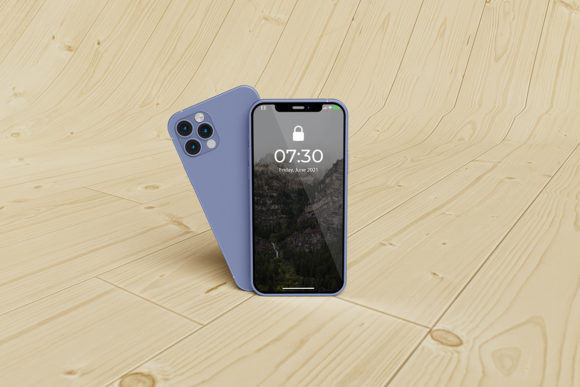
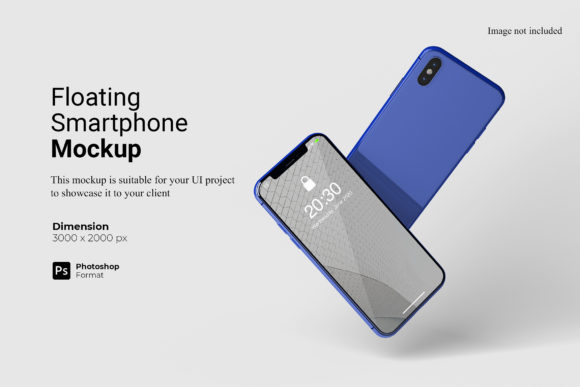
A realistic floating smartphone mockup is a digital asset designed to simulate a three-dimensional view of a smartphone suspended in space, typically against a clean or stylized background. Unlike flat, two-dimensional templates that simply overlay a screen onto a device frame, these mockups utilize advanced lighting, shadows, and perspective to create depth. The "floating" aspect implies a dynamic angle, suggesting motion or modernity, which can make static designs feel more engaging.
The core value proposition of this specific mockup lies in its integration with Adobe Photoshop’s smart-object technology. When purchased or downloaded, the file is provided in PSD format, allowing designers to interact with the template non-destructively. By double-clicking the designated smart-object layer, a new window opens containing the current design. Once the designer replaces this with their own artwork and saves the changes, the main canvas updates instantly, automatically adjusting for perspective, curvature, and lighting effects. This process eliminates the tedious manual warping and masking required in older, less sophisticated templates.
Technical Specifications and Usability
For professional output, resolution and scalability are paramount. This particular mockup offers a substantial canvas size of 3000x2000 pixels at 300 DPI (dots per inch). This specification ensures that the final image retains sharpness even when printed on large formats or displayed on high-resolution Retina displays. It meets the rigorous standards required for agency presentations, print portfolios, and high-end web banners.
Furthermore, the inclusion of a changeable background color feature adds significant versatility. Instead of being locked into a single white or grey backdrop, users can easily swap the environment to match their brand identity or the mood of the project. A dark mode interface might pop against a charcoal background, while a vibrant travel app could benefit from a soft pastel tone. This flexibility reduces the need to purchase multiple variations of the same mockup for different projects.
Comparative Analysis: Why Choose This Format?
When evaluating design assets, it is helpful to compare the Realistic Floating Smartphone Mockup against other common alternatives, such as flat lay mockups, device frames without shadows, or generic 3D renders.
Flat Lay vs. Floating Perspective
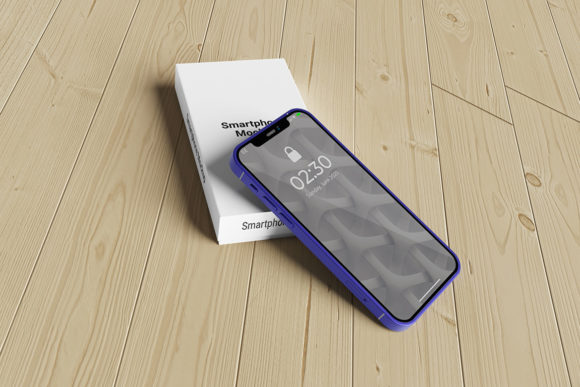
Flat lay mockups place the phone on a surface, often accompanied by props like coffee cups or notebooks. While effective for lifestyle branding, they can sometimes distract from the actual UI/UX details. The floating variant isolates the device, drawing the viewer’s eye directly to the screen content. For pure interface testing or app store screenshots, the floating style provides a cleaner, more focused presentation.
Static Frames vs. Smart-Object Templates
Many low-cost or free resources offer static images of phones. To use these, designers must manually crop, warp, and mask their designs to fit the screen area. This process is time-consuming and prone to errors, often resulting in pixelated edges or misaligned corners. In contrast, the smart-object functionality of this mockup streamlines the workflow. What might take ten minutes of manual editing in a static template takes mere seconds here. For designers handling multiple client revisions, this efficiency gain is substantial.
Generic 3D Renders vs. Optimized PSD Files
Some competitors offer fully rendered 3D files that require specialized software like Blender or Cinema 4D to edit. These tools have steep learning curves and heavy system requirements. The PSD-based approach leverages software most designers already possess—Adobe Photoshop—making it accessible without additional training or hardware investments.
Strengths and Tradeoffs
No single tool is perfect for every scenario. Evaluating the strengths and limitations of the Realistic Floating Smartphone Mockup helps determine its fit within a broader design toolkit.
Key Strengths
- Rapid Iteration: The smart-object system allows for quick swapping of designs, facilitating rapid prototyping and client feedback loops.
- Professional Polish: The realistic lighting and shadowing add a layer of sophistication that elevates the perceived value of the design work.
- High Resolution: At 3000x2000 px and 300 DPI, the asset is suitable for both digital and print mediums without quality loss.
- Customizable Backgrounds: The ability to change background colors enhances brand consistency across different marketing materials.
Potential Limitations
One limitation to consider is the specificity of the device model. If the mockup depicts a specific phone with distinct notch or camera arrangements, it may not be suitable for designs intended for devices with different form factors. Additionally, while the smart-object feature simplifies placement, it does not allow for deep structural changes to the device itself, such as altering the bezel thickness or changing the phone’s color, unless those layers are explicitly editable in the PSD.
Ideal Use Cases and Decision Factors
Understanding when to deploy this resource is key to maximizing its utility. The Realistic Floating Smartphone Mockup is particularly well-suited for:
- App Store Previews: The clean, isolated view ensures that icons and interface elements remain the focal point, adhering to platform guidelines that favor clarity.
- Portfolio Showcases: High-fidelity visuals demonstrate attention to detail and professionalism, helping designers stand out in competitive job markets.
- Social Media Campaigns: The dynamic floating angle creates visually arresting content for platforms like Instagram or LinkedIn, where user engagement depends on stopping power.
- Client Presentations: When pitching ideas, showing a design in a realistic context helps clients visualize the final product better than wireframes or flat layouts.
Conversely, if a designer needs to show how an app looks on multiple devices simultaneously, or requires a highly specific environmental context (such as a phone lying on a messy desk), they might need to supplement this mockup with other assets. However, for the majority of standard UI/UX presentations, this tool offers a robust solution.
Practical Implementation Tips
To get the most out of this asset, designers should adhere to best practices during the replacement process. First, ensure that the source design is exported at a resolution that matches or exceeds the smart-object’s internal dimensions. Upscaling a small image will result in pixelation. Second, pay attention to safe zones; avoid placing critical information too close to the edges of the screen, as the perspective distortion might clip or obscure these areas. Finally, utilize the included PDF help guide if available. These guides often contain hidden tips on layer organization, blending modes, and troubleshooting common issues, further enhancing the user experience.
It is also important to note that preview images used in marketing materials are for illustration purposes only. The actual performance of the mockup depends on the user’s ability to integrate their unique design elements effectively. Testing the mockup with a variety of design styles—minimalist, colorful, dark mode, and complex interfaces—can help designers understand how the lighting and shadows interact with different visual weights.
Conclusion on Suitability
The decision to incorporate a Realistic Floating Smartphone Mockup into your design workflow hinges on the balance between aesthetic impact and operational efficiency. For professionals who value speed, precision, and a polished final output, this tool represents a significant upgrade over traditional methods. Its combination of high-resolution capability, smart-object ease-of-use, and customizable backgrounds makes it a versatile asset for a wide range of digital projects. While it may not replace the need for diverse environmental mockups entirely, it serves as an essential cornerstone for any designer looking to present mobile interfaces with clarity and professional flair. By carefully evaluating its fit against specific project requirements, designers can leverage this resource to enhance their visual storytelling and communicate their ideas more effectively.