Evaluating Clean Magazine Mockup V2: A Practical Guide for Professional Designers
In the competitive landscape of graphic design, presenting work effectively is just as critical as the creation process itself. For designers specializing in editorial layouts, typography, and visual storytelling, a high-fidelity presentation tool can significantly influence client perception. Clean Magazine Mockup V2 emerges as a specialized resource designed to bridge the gap between digital files and realistic physical presentations. This article provides a comprehensive evaluation of this PSD-based mockup, analyzing its technical specifications, workflow efficiency, and suitability for various professional scenarios.
Understanding the Core Functionality
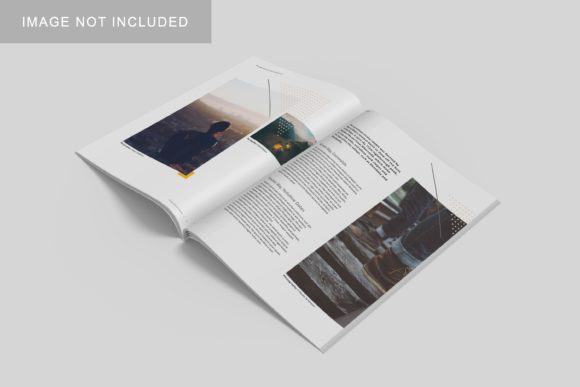
At its foundation, Clean Magazine Mockup V2 is a Photoshop file intended to showcase magazine designs in a realistic 3D environment. Unlike simple flat lay images that require extensive manual compositing, this asset leverages advanced layer structures to simulate depth, lighting, and texture. The primary value proposition lies in its ability to transform a two-dimensional digital layout into a tangible-looking object with minimal effort.
The mockup is built on a 3000x2000 pixel canvas at 300 DPI. This resolution is standard for high-quality print and web displays, ensuring that when designers export their final presentation images, they remain crisp across various mediums, from social media portfolios to large-format client presentations. The "Clean" aesthetic implies a neutral, unobtrusive background and lighting setup, allowing the viewer’s attention to remain fixed on the design content rather than the surrounding environment.
Technical Workflow and Usability
For professionals evaluating time efficiency, the implementation method is a decisive factor. Clean Magazine Mockup V2 utilizes Smart Object technology within Adobe Photoshop. This feature is not merely a convenience; it is a structural advantage that streamlines the design-to-presentation pipeline.
- Non-Destructive Editing: By double-clicking the designated Smart Object layer, designers open a temporary document where they can paste their own cover or interior spreads. Once saved and closed, the changes automatically update on the main canvas, maintaining perspective and lighting effects.
- Rapid Iteration: The ability to swap designs within seconds allows for quick variations. A designer can present multiple color palettes or layout adjustments to a client without recreating the entire scene each time.
- Accessibility: The inclusion of a PDF help guide ensures that users who may be less familiar with complex Photoshop layer management can still utilize the asset effectively.
This approach contrasts sharply with older methods involving manual warping tools or manual shadow/highlight painting. While manual techniques offer granular control over every pixel, they are time-intensive and prone to inconsistency. Smart Object-based mockups like Clean Magazine Mockup V2 prioritize consistency and speed, which are often more valuable in fast-paced commercial environments.
Customization Versus Constraints
One of the distinct features highlighted in the product description is the changeable background color. This flexibility addresses a common limitation in static mockups, where the environment is fixed. In a real-world scenario, a magazine might be photographed on a wooden desk, a concrete floor, or against a vibrant studio backdrop. The ability to alter the background allows designers to tailor the presentation to match specific brand identities or marketing campaigns.
However, this customization comes with inherent tradeoffs. Because the mockup relies on pre-defined lighting models, changing the background color may occasionally result in lighting mismatches if the new color interacts unexpectedly with the simulated light sources. Designers must possess a basic understanding of how ambient light affects color perception to ensure the final image looks natural rather than artificially superimposed.
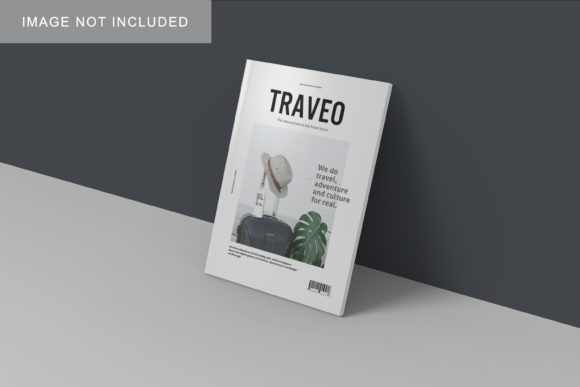
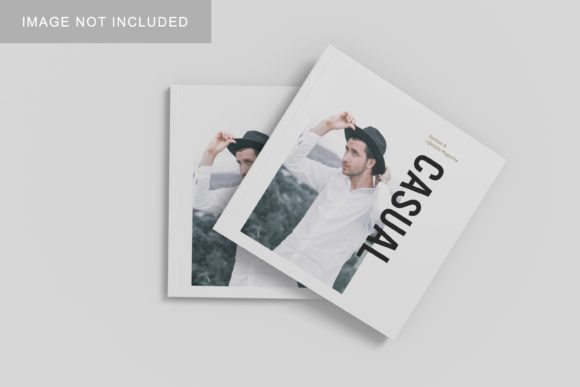
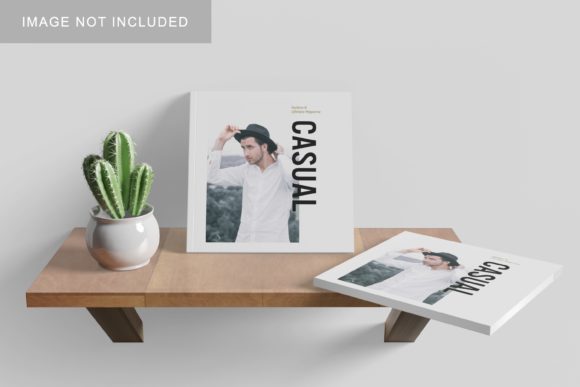
Furthermore, it is crucial to note that the photos used in preview images are for illustration purposes only and are not included. This is a standard industry practice but remains a point of consideration for buyers who expect a complete, ready-to-use scene. Users must rely on their own photography or stock assets if they wish to replace the base imagery entirely, though the Smart Object functionality primarily targets the insertion of *designs*, not the replacement of the *scene*.
Comparative Analysis: When to Choose This Approach
When comparing Clean Magazine Mockup V2 to other options, such as custom 3D rendering software (e.g., Blender or Cinema 4D) or simpler PSD templates, several distinctions become apparent.
Vs. Custom 3D Rendering
Custom 3D rendering offers unparalleled control over camera angles, textures, and physics. However, it requires significant learning curves and rendering time. For a designer needing to produce five different mockups for a single project, spending hours setting up scenes in 3D software is inefficient. Clean Magazine Mockup V2 serves as a pragmatic middle ground, offering the realism of 3D without the technical overhead.
Vs. Flat Lay Templates
Flat lay mockups are popular for their minimalist aesthetic and ease of use. They are ideal for showcasing grid systems and typography clearly. However, they lack the dimensional presence that helps clients visualize the physical weight and feel of a printed publication. Clean Magazine Mockup V2, with its 3D display capabilities, provides a more immersive experience, helping clients grasp the scale and finish of the final product better than a flat image.
Vs. Generic Free Resources
While free mockups are abundant online, they often suffer from inconsistent quality, outdated formats, or intrusive watermarks. Clean Magazine Mockup V2 represents a curated solution with standardized resolution (300 DPI) and structured layers. The investment in a premium or well-structured mockup often pays off in the professionalism of the output, reducing the risk of presenting low-resolution or poorly lit images to discerning clients.
Ideal Use Cases and Target Audience
Clean Magazine Mockup V2 is particularly well-suited for:
- Freelance Editorial Designers: Those who need to quickly assemble portfolio pieces that look polished and ready for print.
- Marketing Agencies: Teams requiring consistent branding across multiple deliverables, where the clean aesthetic aligns with modern corporate identities.
- Self-Publishing Authors: Individuals creating magazines or zines who need to visualize their work before sending it to printers.
The tool is less suitable for projects requiring extreme environmental storytelling, such as a magazine placed in a rugged outdoor setting, unless the user is proficient in compositing additional elements. It is also not a substitute for actual photography if the goal is to capture the unique imperfections and textures of a physical prototype.
Decision Factors for Buyers
Before integrating Clean Magazine Mockup V2 into your workflow, consider the following factors:
- Software Proficiency: Do you have access to Adobe Photoshop? The Smart Object feature is exclusive to this ecosystem. If you use Affinity Photo or GIMP, compatibility may vary or require conversion steps.
- Volume of Work: If you produce mockups frequently, the time saved by using a Smart Object template will justify the initial setup time. For one-off projects, the learning curve might outweigh the benefits.
- Aesthetic Alignment: Does the "clean" style match your personal brand? The neutral presentation is versatile but may feel too sterile for artists seeking bold, artistic backgrounds.
Conclusion
Clean Magazine Mockup V2 stands out as a functional, efficient tool for designers who prioritize clarity and professionalism in their presentations. By combining realistic 3D visualization with the ease of Smart Object editing, it reduces the friction between design creation and client delivery. While it does not replace the creative freedom of custom 3D modeling, it offers a robust alternative for those seeking speed and consistency. For professionals looking to elevate their portfolio presentation without investing excessive time in technical setup, this mockup provides a reliable and scalable solution.