Mastering Professional Design Presentations with Clean Magazine Mockup V3
In the competitive world of graphic design, the quality of your work is only half the battle. The other half lies in how you present that work to clients, stakeholders, or potential customers. A stunning layout can be undermined by a poor presentation, while an average design can appear exceptional when showcased correctly. This is where high-quality mockups become indispensable tools in a designer’s arsenal. Specifically, the Clean Magazine Mockup V3 offers a sophisticated solution for displaying editorial designs in a realistic, professional manner.
This article explores why realistic 3D mockups are crucial for modern design workflows, how the Clean Magazine Mockup V3 simplifies this process, and why its specific features—such as smart-object technology and customizable backgrounds—make it a valuable asset for creatives at every level.
The Importance of Realistic Presentation in Graphic Design
Before diving into the technical specifications of the mockup, it is essential to understand the psychology behind visual presentations. When a client reviews a flat JPEG of a magazine cover or an interior spread, they often struggle to visualize the final physical product. They cannot gauge the weight of the paper, the texture of the finish, or how the light interacts with the pages. This disconnect can lead to miscommunication, revision cycles, and ultimately, less confident decision-making.
Realistic 3D mockups bridge this gap. By simulating real-world conditions, they allow viewers to "see" the project as it would exist in reality. Whether you are pitching a new publication to a publisher, showcasing a brand identity to a startup, or building your portfolio on Behance or Dribbble, context matters. A clean, elegant magazine mockup provides that necessary context, elevating the perceived value of your design work instantly.
Introducing Clean Magazine Mockup V3
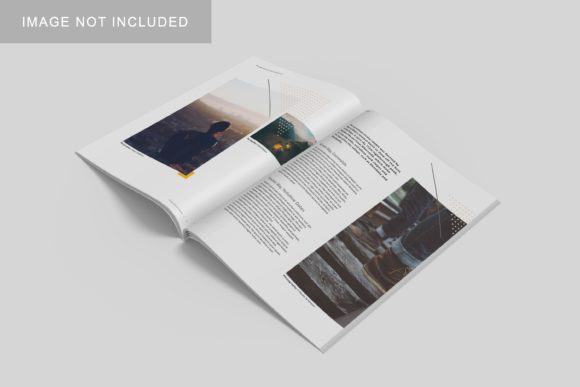
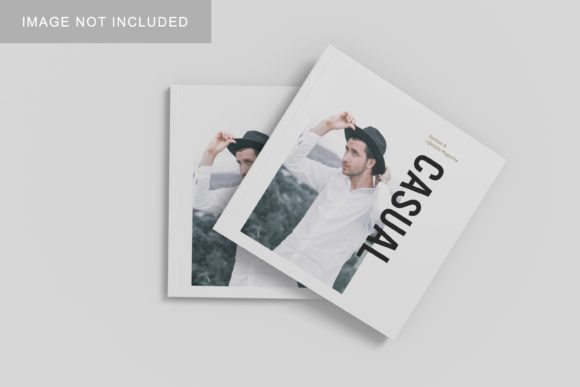
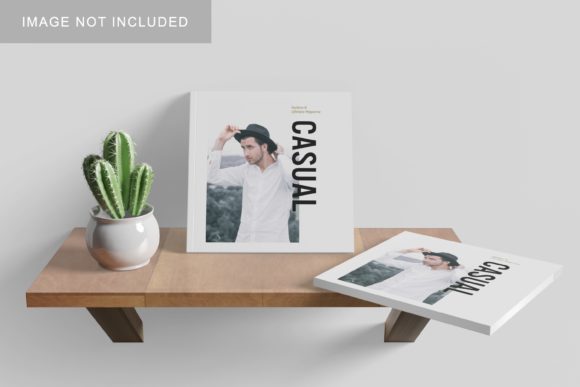
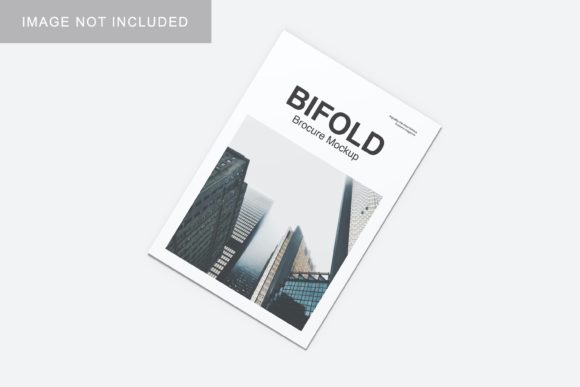
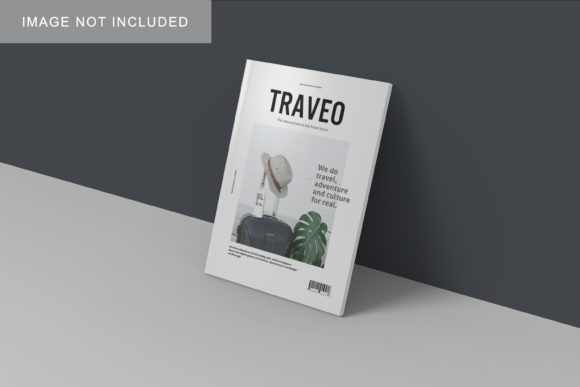
The Clean Magazine Mockup V3 is designed specifically to address these needs. It is not merely a static image; it is a dynamic, interactive file built within Adobe Photoshop (PSD) to facilitate rapid iteration and customization. The primary goal of this item is to provide a realistic 3D display that allows designers to showcase their editorial layouts professionally.
What sets this mockup apart is its balance between aesthetic simplicity and functional power. The "Clean" aspect refers to its uncluttered, modern aesthetic, which ensures that the focus remains squarely on the artwork placed within it. It avoids distracting textures or overly dramatic lighting that might compete with the design itself. Instead, it acts as a neutral yet polished stage for your creative performance.
Why PSD Format Matters
The availability of the mockup in PSD Photoshop format is a critical feature. Unlike PNG or JPG files, which are flattened and immutable, PSD files retain layers and editable elements. This opens up a world of possibilities for customization. For instance, if a client requests a change in the background color from white to a soft pastel blue, you do not need to recreate the entire scene. With the included smart-object features, such changes can be made in seconds, streamlining the revision process significantly.
Key Features That Enhance Workflow Efficiency
Understanding the technical capabilities of the Clean Magazine Mockup V3 helps designers appreciate its practical relevance in daily activities and business operations. Below, we break down the core features that make this tool particularly effective.
1. Smart-Object Technology
The most significant advantage of this mockup is its integration of smart-object features. In Adobe Photoshop, a smart object is a container that holds image data from raster or vector images. When applied to a mockup, it allows you to replace the placeholder design with your own artwork without altering the underlying structure of the mockup (such as shadows, folds, or perspective).
How it works:
- You open the PSD file in Photoshop.
- You locate the layer labeled "Replace Here" or similar.
- You double-click that layer to open a new window containing your current design.
- You paste or drag your finished design into this window and save it (Cmd+S / Ctrl+S).
- The main mockup file automatically updates to reflect your new design, complete with realistic warping and lighting effects.
This process eliminates the need for manual masking, perspective warping, or complex blending modes, saving hours of tedious work per project.
2. Changeable Background Colors
Versatility is key in marketing. Sometimes, a design looks best against a stark white background; other times, a dark, moody setting enhances the mood. The Clean Magazine Mockup V3 includes changeable background-color options. This means you can adapt the same mockup to fit various branding guidelines or aesthetic preferences without needing to purchase multiple variations of the same template. This flexibility is particularly useful for agencies managing multiple clients with distinct visual identities.
3. High Resolution and Print Readiness
For designers who need to present their work in high-stakes environments, resolution is non-negotiable. This mockup boasts a size of 3000x2000 px with a density of 300 dpi. This high resolution ensures that the image remains crisp and clear whether viewed on a large 4K monitor, printed on a poster, or displayed on social media platforms that compress images. It meets the professional standards required for print-ready deliverables and digital portfolios alike.
Practical Applications in Modern Creative Work
The utility of the Clean Magazine Mockup V3 extends beyond simple decoration. It fits seamlessly into various aspects of modern life, work, and business.
Client Pitches and Proposals
When presenting a proposal to a client, first impressions count. Using a realistic mockup demonstrates professionalism and attention to detail. It shows that you have considered the end-user experience and the physical manifestation of the digital file. This can increase conversion rates and client trust, as they can better envision the final product.
Portfolio Building
A strong portfolio is the cornerstone of a freelance career or job application. However, uploading raw screenshots of magazine spreads can look disjointed. By using consistent, high-quality mockups like Clean Magazine Mockup V3, you create a cohesive narrative. Each piece of work is presented in a uniform style, making your portfolio easier to navigate and more visually appealing.
Social Media Marketing
In the age of Instagram and Pinterest, visual content is king. High-quality mockups perform exceptionally well on social media because they stand out in crowded feeds. They signal quality and effort, encouraging higher engagement rates. Furthermore, the ability to quickly swap designs allows marketers to test different visuals and see which resonates best with their audience.
Addressing Common Misconceptions
There are a few common misunderstandings regarding the use of mockups that designers should be aware of.
Misconception 1: "Mockups hide bad design."
While a good mockup can enhance a design, it cannot fix fundamental flaws in composition, typography, or color theory. If the underlying design is weak, even the most realistic 3D display will not save it. Mockups are amplifiers, not healers.
Misconception 2: "Photos used in the preview are included."
It is important to note that photos used in the preview are not included; they are there for illustration purposes only. Buyers must provide their own designs or assets. This is standard practice in the stock asset industry but worth clarifying to avoid confusion upon download.
Misconception 3: "It’s too complicated for beginners."
Many beginners fear that working with PSDs and smart objects is technically daunting. However, the Clean Magazine Mockup V3 comes with a PDF help guide designed to walk users through the process step-by-step. This resource ensures that even those with limited Photoshop experience can achieve professional results quickly.
Conclusion
In summary, the Clean Magazine Mockup V3 is more than just a template; it is a strategic tool for enhancing the perception and delivery of design work. Its combination of realistic 3D aesthetics, user-friendly smart-object functionality, and high-resolution output makes it suitable for professionals seeking to showcase their designs effectively.
By adopting such tools, designers can streamline their workflow, reduce revision time, and present their work with greater confidence. Whether you are a seasoned graphic designer looking to polish your portfolio or a beginner eager to learn the ropes of professional presentation, this mockup offers a robust foundation for success. Embrace the power of realistic visualization, and let your designs speak for themselves in the clearest, most compelling way possible.