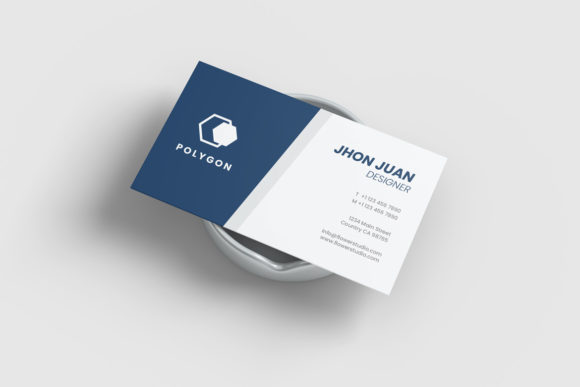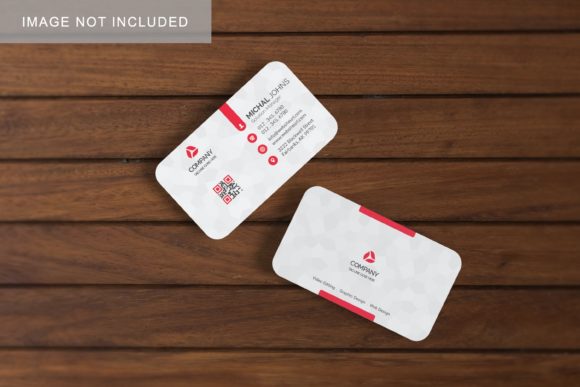
Realistic Business Card Mockup V4: A Professional Showcase for Your Design Work
In the competitive landscape of branding and graphic design, first impressions are everything. When a designer presents a business card concept to a client, the difference between a "flat" digital file and a tangible, realistic presentation can be the deciding factor in securing approval. This is where high-quality mockups become indispensable tools rather than mere decorative extras. Among the various options available on the market, the Realistic Business Card Mockup V4 has emerged as a robust solution for professionals seeking to display their work with clarity and sophistication. This article explores what this specific mockup offers, how it functions, and why it might be the right asset for your next project.
The Importance of Realistic Presentation
Before diving into the technical specifications of the Realistic Business Card Mockup V4, it is essential to understand why realism matters in design presentations. Clients often struggle to visualize how a two-dimensional vector or raster image will translate into a physical object. They need to see texture, lighting, shadows, and depth to truly grasp the quality of the print. A flat JPEG or PNG often fails to convey the tactile nature of paper stock, foil stamping, or embossing. By using a 3D-style mockup, designers bridge this gap, allowing clients to see their brand identity in a context that mimics real-world usage.
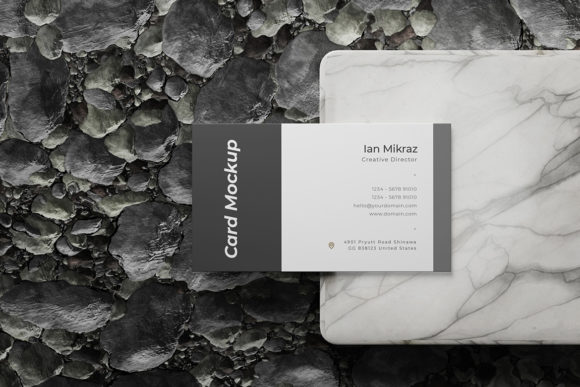
The Realistic Business Card Mockup V4 addresses this need by providing a scene that feels grounded and authentic. It moves beyond simple overlays, offering a perspective that suggests weight and materiality. For freelancers and agency owners, this level of detail helps build trust and demonstrates a commitment to professional standards.
Core Features and Technical Specifications
One of the primary reasons designers gravitate toward the Realistic Business Card Mockup V4 is its balance between visual fidelity and ease of use. Built within Adobe Photoshop, it leverages modern features to streamline the workflow. Below are the key characteristics that define this tool:
- Smart-Object Integration: The most critical feature of this mockup is its compatibility with Smart-Objects. This allows users to replace the default design with their own artwork in seconds. You simply double-click the smart-object layer, paste your design, save, and the mockup updates automatically. This eliminates the tedious process of manually aligning layers and adjusting masks.
- High-Resolution Output: With a resolution of 300 DPI and dimensions of 3000x2000 pixels, the mockup is suitable for both screen-based presentations and high-quality print outputs. This ensures that when you send the final image to a client via email or display it on a portfolio website, there is no loss in sharpness or detail.
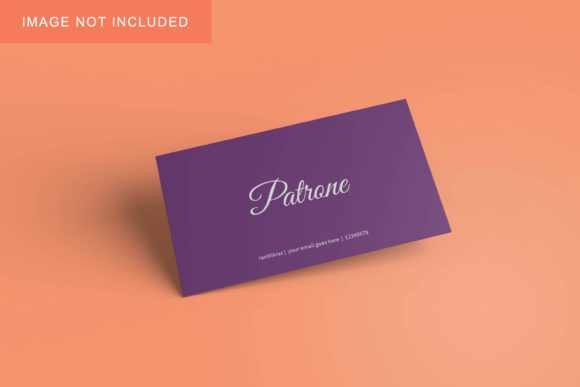
- Changeable Backgrounds: Versatility is key in design. The Realistic Business Card Mockup V4 includes the ability to change the background color. Whether you want a clean white backdrop for a minimalist look, a dark tone for dramatic effect, or a custom hue that matches your brand palette, this flexibility allows you to tailor the presentation to any context.
- User-Friendly Documentation: Recognizing that not every user is a Photoshop expert, the package includes a PDF help guide. This resource provides step-by-step instructions on how to navigate the layers, adjust lighting if necessary, and export the final image correctly. This support system reduces the learning curve and ensures a smooth experience for beginners and seasoned pros alike.
Who Benefits from This Mockup?
The utility of the Realistic Business Card Mockup V4 extends across a wide spectrum of creative professionals. Its design philosophy focuses on practicality, making it valuable for several distinct groups.
Freelance Graphic Designers
For independent designers, time is money. The efficiency gained through Smart-Object functionality means less time spent on technical adjustments and more time spent on creative development. Furthermore, presenting work in a realistic 3D display elevates the perceived value of the service, potentially justifying higher rates.
Branding Agencies
Agencies often present comprehensive brand identities, where business cards are just one element. The consistency and professionalism offered by the Realistic Business Card Mockup V4 ensure that the card fits seamlessly into larger presentation decks. The ability to customize backgrounds allows agencies to maintain visual cohesion across different slides and materials.
Print Shops and Pre-Press Services
While primarily a design tool, print shops can also utilize this mockup to show customers how their chosen paper stocks and finishes will look. It serves as an excellent communication aid during the consultation phase, helping clients make informed decisions about materials.
Practical Applications and Scenarios
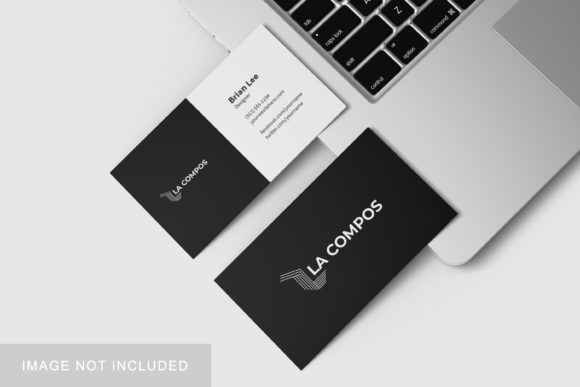
To fully appreciate the value of this asset, consider how it can be applied in real-world scenarios. Imagine a scenario where a startup founder needs to pitch their new tech company to investors. The founder hires a designer who creates a sleek, modern logo and business card. Instead of sending a plain digital file, the designer uses the Realistic Business Card Mockup V4 to create a stunning image of the card resting on a desk, perhaps with a laptop or coffee cup nearby (if the background allows for such compositing). This contextualizes the brand, suggesting innovation and professionalism.
Another common use case is social media marketing. Designers often post "behind-the-scenes" or "just finished" shots on platforms like Instagram or LinkedIn. A well-rendered mockup stands out in a feed cluttered with flat graphics. The 3D aspect draws the eye, increasing engagement and showcasing the designer’s attention to detail.
Evaluating Suitability and Limitations
While the Realistic Business Card Mockup V4 is a powerful tool, it is important to approach it with realistic expectations. Like any template, it has limitations based on its static nature. The lighting and shadows are baked into the scene, meaning you cannot easily rotate the card or change the angle of view without advanced editing skills. If your project requires dynamic, multi-angle views of the same card, you might need a more complex, layered PSD file or a 3D rendering software.
Additionally, while the background is changeable, the environment itself is fixed. If you require a highly specific setting—such as a card placed on a specific textured wood grain or a unique architectural backdrop—you may need to composite additional elements or choose a different mockup that offers more environmental variety. However, for standard, clean presentations, the included backgrounds are typically sufficient and professionally styled.
It is also worth noting that the quality of the final output depends heavily on the source design. A poorly designed business card will not look better simply because it is placed in a high-resolution mockup. The mockup enhances good design; it does not fix bad design. Therefore, ensuring your initial artwork is crisp, properly aligned, and uses appropriate color modes (CMYK for print, RGB for screen) is crucial.
Conclusion
The Realistic Business Card Mockup V4 represents a solid investment for anyone serious about presenting their design work effectively. Its combination of high resolution, easy-to-use Smart-Object technology, and customizable features makes it a versatile asset for a wide range of projects. By reducing the friction between design creation and client presentation, it allows creators to focus on what they do best: creating compelling visual identities.
Whether you are a freelance designer looking to polish your portfolio, an agency aiming to impress clients, or a business owner preparing to launch your brand, this mockup provides the professional finish needed to stand out. In an industry where visual perception drives decision-making, having the right tools to showcase your work is not just a convenience—it is a necessity. By leveraging the capabilities of the Realistic Business Card Mockup V4, you ensure that your designs are seen not just as images, but as tangible, high-quality products ready for the real world.