Elevate Your Portfolio with the Bifold Mockup V3: A Professional’s Guide to Realistic 3D Presentations
In the competitive world of graphic design, branding, and marketing, how you present your work is just as critical as the work itself. Clients do not just buy a logo or a brochure; they buy the vision of how that design will look in the real world. This is where high-fidelity mockups become an indispensable tool in a designer’s arsenal. Among the various options available on the market, the Bifold Mockup V3 stands out as a sophisticated solution for professionals who need to showcase their designs with clarity, realism, and speed.
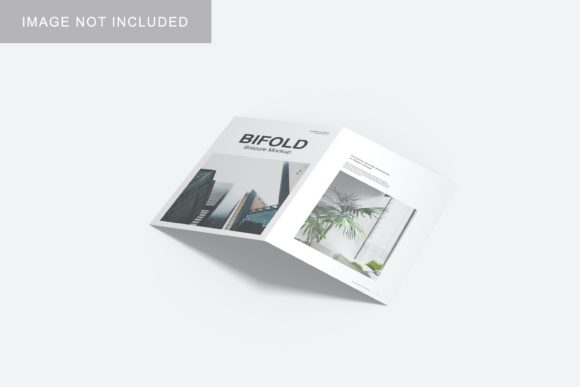
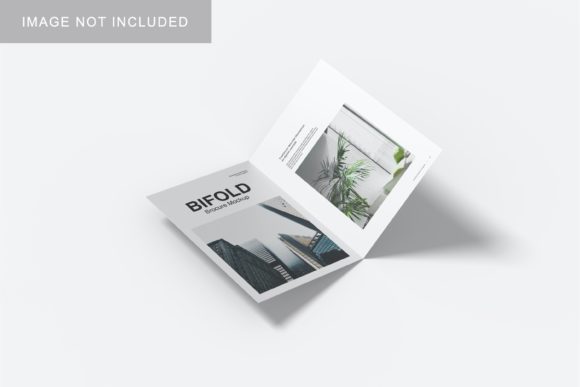
This specific asset is designed to bridge the gap between digital creation and physical perception. By offering a realistic 3D display, it allows designers to simulate the tactile experience of a folded document, such as a brochure, pamphlet, or business card holder, without needing to print physical prototypes. For agencies and freelancers alike, this translates to faster client approvals, more compelling portfolios, and a significant reduction in production costs during the conceptual phase.
The Power of Realism in Design Presentation
Why does realism matter? When a client views a flat image of a design, they have to use their imagination to understand scale, texture, and context. This cognitive load can create distance between the client and the design. A realistic 3D mockup removes that barrier. It places the design into a believable environment, allowing stakeholders to visualize the final product immediately.
The Bifold Mockup V3 leverages advanced rendering techniques to mimic light, shadow, and material properties. Whether you are presenting a corporate annual report or a creative event flyer, the subtle creases, paper grain, and lighting effects contribute to a sense of authenticity. This level of detail signals professionalism. It tells the client, "I have thought about every aspect of this project, including its physical manifestation."
Seamless Integration via Smart-Objects
One of the most frustrating aspects of using mockups is the technical hurdle. Many templates require complex layer management or manual warping of images, which can eat up valuable billable hours. The Bifold Mockup V3 addresses this pain point head-on by utilizing Adobe Photoshop’s Smart-Object features.
This functionality is a game-changer for workflow efficiency. Here is how it works in practice:
- Instant Replacement: You simply double-click the Smart-Object layer within the PSD file.
- Edit Freely: Your design opens in a new window. Make your edits, save the file, and close the window.
- Automatic Update: The main mockup file automatically updates to reflect your changes, maintaining all shadows, folds, and perspective adjustments.
This process takes seconds, not minutes. It means you can generate multiple variations of a design—perhaps testing different color schemes or headline copy—and present them side-by-side without losing the integrity of the mockup’s lighting and structure. This ease of use makes it particularly suitable for tight deadlines and iterative design processes.
Technical Specifications That Matter
When selecting a digital asset for professional use, technical specifications are not just numbers; they are indicators of quality and versatility. The Bifold Mockup V3 is built with high standards to ensure it meets the demands of modern printing and digital presentation requirements.
Resolution and Clarity
The mockup is provided at a resolution of 300 DPI. In the world of print and high-resolution displays, this is the gold standard. It ensures that when you zoom in to inspect details, the text remains crisp and the edges of the bifold remain sharp. There is no pixelation, which is crucial when presenting to clients on large monitors or projecting onto screens during pitches.
Dimensions
With a canvas size of 3000x2000 pixels, the mockup offers ample space for detailed compositions. This aspect ratio is versatile enough to accommodate both landscape and portrait-oriented presentations, depending on how you frame the shot. It provides enough resolution to crop the image tightly around the product while still retaining background elements if needed, or to extract the mockup for use in web banners and social media posts.
Format Compatibility
As a native PSD (Photoshop) file, it integrates directly into the industry-standard software used by millions of designers. There is no need for third-party plugins or conversion tools. If you already have Photoshop installed, you are ready to go. Additionally, the inclusion of a PDF help guide ensures that even those who might be less familiar with advanced Photoshop techniques can navigate the file with confidence. This support document typically covers steps for placing images, adjusting layers, and exporting the final result.
Customization and Versatility
A static mockup has its place, but a customizable one is a powerhouse. The Bifold Mockup V3 includes a changeable background-color feature. This might seem like a minor detail, but it significantly expands the utility of the asset.
Imagine you are creating a brand identity package. You might want to present the bifold brochure against a clean white background for a minimalist look, then switch to a soft gray or a bold brand color to match a specific campaign theme. Instead of recreating the lighting and shadows for each scenario, you can simply adjust the background layer. This consistency saves time and ensures that the focus remains on the design itself, rather than being distracted by inconsistent environments.
This flexibility is particularly useful for:
- Portfolio Websites: Where a consistent aesthetic across different projects is key.
- Social Media Campaigns: Where matching background colors to current promotions increases engagement.
- Client Presentations: Where adapting the visual context to the client’s brand colors can make the proposal feel more tailored and personal.
Practical Considerations for Buyers
Before adding the Bifold Mockup V3 to your toolkit, it is important to understand what you are getting and what is excluded. Transparency in these details helps set the right expectations.
Illustrative Purpose Only
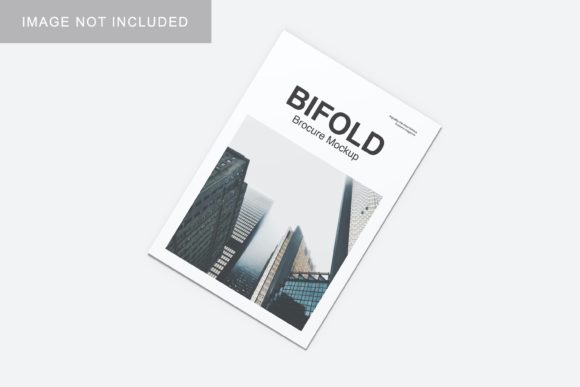
It is standard practice in the mockup industry that photos used in the preview images are for illustration purposes only and are not included in the download. This means you should expect a clean slate—a pristine bifold form waiting for your content. This is actually a benefit, as it ensures there are no pre-existing logos or watermarks that you would have to manually remove. You start fresh, ensuring your own intellectual property is the sole focus.
Learning Curve
While the smart-object feature simplifies the insertion of designs, familiarity with basic Photoshop navigation is assumed. However, the included PDF guide mitigates this risk. For beginners, this mockup serves as an excellent learning tool to understand how layers, masks, and blending modes work together to create realistic 3D effects.
Integrating Mockups into Modern Workflows
In today’s remote-first and fast-paced design environment, the ability to deliver polished assets quickly is a competitive advantage. The Bifold Mockup V3 fits seamlessly into modern workflows whether you are working solo or as part of a large agency team.
For freelancers, it reduces the time spent on presentation prep, allowing more time for actual design work or client communication. For agencies, it ensures brand consistency across multiple designers’ work. When everyone uses the same high-quality mockup template, the portfolio looks cohesive and professional, regardless of who created the underlying design.
Furthermore, in the age of e-commerce and digital storefronts, having high-quality mockup images is essential for selling design services. Platforms like Etsy, Creative Market, or even personal websites rely on attractive visuals to convert visitors into buyers. A well-executed bifold mockup demonstrates competence and attention to detail, qualities that clients actively seek.
Final Thoughts on Choosing the Right Tool
Selecting the right mockup is about balancing quality, ease of use, and versatility. The Bifold Mockup V3 hits the sweet spot for professionals who need reliable, high-resolution results without sacrificing time. Its 300 DPI resolution, smart-object integration, and customizable backgrounds make it a robust asset for any designer dealing with printed materials.
Whether you are launching a new startup, rebranding an existing company, or simply looking to enhance your portfolio’s visual appeal, this mockup provides the framework to present your ideas in the best possible light. By removing the technical friction from the presentation process, it allows your creativity to take center stage. In a field where first impressions count, investing in tools like the Bifold Mockup V3 is not just a purchase—it is a strategic decision to elevate your professional standing.