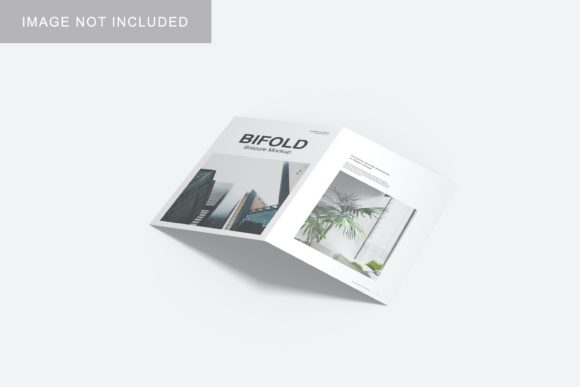
Bifold Mockup V2 for Professional Design Presentations
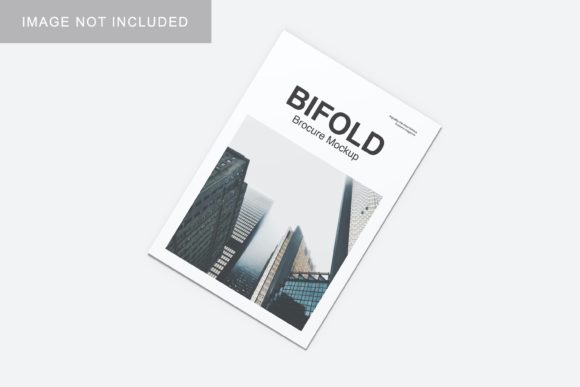
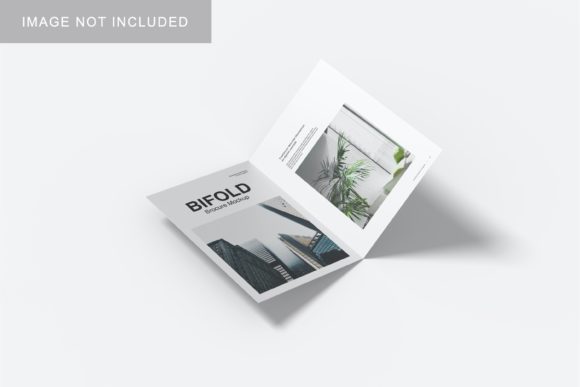
Presenting a design is rarely just about the artwork itself; it is about context, realism, and the immediate visual impact you create for clients or stakeholders. When you are working on branding projects, marketing materials, or product packaging, the gap between a flat digital file and a tangible, real-world object can feel significant. Bifold Mockup V2 bridges that gap effectively, offering a streamlined solution for designers who need to showcase their work in a realistic 3D display without spending hours manipulating layers.
This tool is designed for professionals, creators, entrepreneurs, and marketers who value efficiency and aesthetic quality. Whether you are a freelancer pitching a new logo package to a small business owner or an educator demonstrating typography principles to students, having a high-quality mockup available can significantly alter how your audience perceives the final result. The following analysis explores how this specific PSD template supports practical workflows, enhances communication, and simplifies the presentation process.
The Value of Realistic 3D Displays
In the digital age, screens are our primary interface, but physical presence still carries weight. A bifold brochure, flyer, or card represents a tactile experience. When you present a flat JPEG of a brochure design, the client must imagine how it feels, folds, and sits on a desk. By using Bifold Mockup V2, you provide a realistic 3D display that simulates lighting, shadows, and material texture. This immediacy helps clients visualize the end product more accurately, reducing ambiguity and potential revisions later in the project.
For educators and bloggers, this realism also serves an instructional purpose. It allows you to demonstrate not just the graphic design, but the application of design in a spatial context. It transforms abstract concepts into concrete examples, making your advice or portfolio more compelling and easier to digest for your audience.
Efficiency Through Smart-Object Technology
One of the most time-consuming aspects of creating presentation assets is the technical manipulation of files. Traditional methods might require manual warping, perspective matching, and shadow adjustment for every new design iteration. Bifold Mockup V2 addresses this bottleneck by utilizing smart-object features within the Photoshop (PSD) format.
Smart objects allow you to replace the current designs with your own within seconds. Instead of manually aligning your artwork to fit the fold and curve of the brochure, you simply double-click the smart object layer, paste your design, save, and watch the mockup update automatically. This feature is particularly valuable for:
- Freelancers managing multiple clients: You can quickly swap out branding elements for different clients without starting from scratch each time.
- Agencies under tight deadlines: Rapid prototyping allows for faster feedback loops with internal teams and external stakeholders.
- Hobbyists and publishers: Those who may not have advanced Photoshop skills can still achieve professional-looking results through simple drag-and-drop functionality.
The inclusion of a PDF help guide ensures that even users less familiar with complex Photoshop workflows can navigate the file structure easily. This reduces the learning curve and minimizes frustration, allowing you to focus on the creative outcome rather than the technical execution.
Customization and Visual Control
A generic mockup can sometimes detract from the design if the surrounding environment clashes with the brand identity. Bifold Mockup V2 offers changeable background-color options, giving you control over the mood and context of your presentation. You can choose a neutral backdrop to keep the focus strictly on the design, or select a color that complements your brand palette to create a cohesive visual narrative.
This level of customization is crucial for strengthening communication. For example, a financial consultant might prefer a clean, white background to convey trust and clarity, while a creative agency might opt for a darker, textured tone to suggest sophistication and depth. The ability to adjust these elements means the mockup adapts to your needs, rather than forcing you to adapt to the mockup’s limitations.
Technical Specifications and Quality Standards
For print-ready presentations or high-resolution digital portfolios, image quality is non-negotiable. This item is provided in a 300 dpi resolution with a size of 3000x2000 px. These specifications ensure that when you zoom in to inspect details like font kerning, color gradients, or paper texture, the image remains crisp and clear. High fidelity is essential when convincing a client that their investment in print materials will yield a premium result.
However, it is important to note that photos used in the preview are not included and are for illustration purposes only. Users should prepare their own assets or use royalty-free imagery if they wish to add additional contextual elements beyond the mockup’s base structure. Understanding this limitation helps set realistic expectations regarding what is provided versus what requires additional sourcing.
Ideal Use Cases and Audience Fit
While versatile, Bifold Mockup V2 is particularly well-suited for specific scenarios where clarity and professionalism are paramount:
- Client Pitches: Small business owners and entrepreneurs often struggle to visualize abstract ideas. Presenting a bifold brochure in a realistic 3D display helps them understand the scale and utility of the design, facilitating quicker decision-making.
- Portfolio Showcasing: Marketers and designers can use this template to display a series of related works—such as a complete brand identity system including cards, letterheads, and brochures—in a unified, polished manner.
- Educational Demonstrations: Educators can use the mockup to teach layout principles, showing how text and images interact on a folded surface, which is difficult to convey with flat graphics alone.
If you are looking for highly stylized, artistic environments or extreme close-ups of paper grain, this basic bifold structure may be too simple. In such cases, comparing options with more complex scene-based mockups might be beneficial. However, for straightforward, clean, and professional presentations, its simplicity is its greatest strength.
Simplifying the Decision Process
Ultimately, the goal of any design presentation is to communicate value and intent clearly. By removing technical barriers and providing a realistic visual framework, Bifold Mockup V2 supports creativity and improves presentation outcomes. It allows you to spend less time fighting with software and more time refining your message.
For professionals seeking to increase efficiency and improve the perceived value of their work, this tool offers a practical return on investment. It standardizes the presentation process, ensuring that every project looks as polished and intentional as the last. Whether you are launching a new startup, teaching a class, or refining a personal brand, having a reliable, easy-to-use mockup at your disposal is a strategic advantage in today’s competitive design landscape.