A5 Trifold Mockup V2 for Professional Presentations
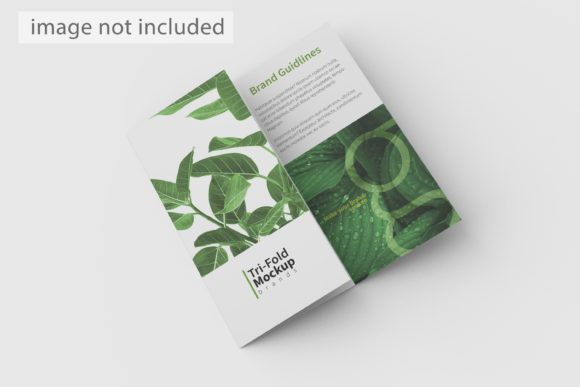
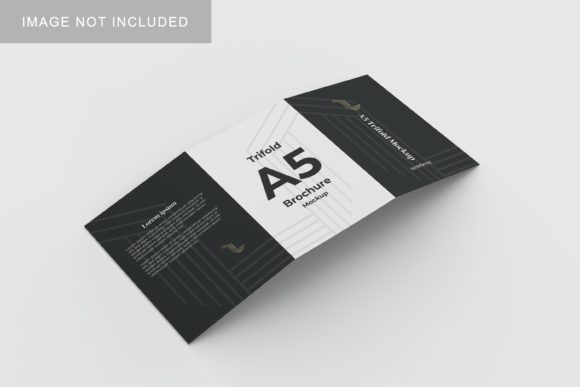
Presenting a design is rarely just about the final file; it is about how that design exists in the real world. For designers, marketers, and entrepreneurs, the gap between a flat digital file and a tangible product can feel like a chasm. This is where high-quality visualization tools become indispensable. The A5 Trifold Mockup V2 bridges that gap by offering a realistic 3D display that allows you to showcase your work with professional polish. Whether you are pitching to a client, updating your portfolio, or preparing marketing materials for social media, this tool transforms abstract concepts into concrete, believable realities.
This mockup is not merely a static image; it is a functional PSD file designed for speed and flexibility. It caters to anyone who needs to demonstrate the physical presence of their creative output without the logistical hassle of printing and photographing actual samples. From freelancers looking to impress potential clients to small business owners planning their next brochure rollout, the ability to visualize an A5 trifold brochure in a lifelike setting adds a layer of credibility and sophistication to your presentations.
Why Realism Matters in Design Presentation
When you present a flat JPEG of a brochure, the viewer’s imagination has to fill in the blanks. Does the paper look thick or thin? How does the fold sit? Is the lighting natural? These subtle details influence perception. A realistic 3D mockup removes the ambiguity. It grounds your design in a physical context, making it easier for stakeholders to visualize the end product. This psychological shift is crucial for securing approvals and closing sales.
The A5 Trifold Mockup V2 addresses this need by providing a high-resolution, 300 DPI rendering at 3000x2000 pixels. This resolution ensures that when you zoom in on the folds, shadows, and texture, the image remains crisp and clear. It eliminates the pixelation that often plagues lower-quality templates, ensuring that your professional image is never compromised by technical limitations. By presenting your work in a format that mimics reality, you signal attention to detail and professionalism before the client even reads a word of your proposal.
Streamlining Your Workflow with Smart Objects
One of the most significant barriers to creating high-quality mockups is the time investment required. Traditional methods might involve complex Photoshop techniques, layer masking, and manual warping of images. The A5 Trifold Mockup V2 simplifies this process through the use of smart-object features. This technology allows you to replace the current designs with your own within seconds, drastically reducing the turnaround time for client revisions or multiple concept variations.
The workflow is intuitive: open the PSD file, double-click the smart object layer, paste your design, save, and close. The mockup automatically adjusts to the perspective and lighting of the scene. This efficiency is particularly valuable for educators teaching design principles, bloggers creating content about branding, or agencies managing multiple client projects simultaneously. You can iterate quickly, testing different color schemes, layouts, or typography styles without starting from scratch each time.
- Rapid Iteration: Test multiple design variants in minutes rather than hours.
- Consistency: Maintain uniform lighting and perspective across all presentation assets.
- Accessibility: No advanced Photoshop skills are required to achieve professional results.
Creative Applications and Use Cases
The versatility of the A5 Trifold Mockup V2 extends far beyond simple brochure presentations. Its adaptability makes it a valuable asset across various creative disciplines. Here are several ways different professionals can leverage this tool:
Marketing and Branding
For marketers, visualizing how a brand’s messaging translates into print is essential. Use the mockup to create lifestyle shots for Instagram or Pinterest. Place the trifold on a wooden desk next to a coffee cup, or drape it over a modern chair. These contextual images help potential customers imagine the product in their own lives. The changeable background feature allows you to match the mood of your campaign, whether it’s a clean, minimalist aesthetic or a warm, inviting environment.
Portfolio Development
Designers often struggle to show print work effectively in digital portfolios. A flat scan of a brochure can look dull. By using the A5 Trifold Mockup V2, you can create dynamic, angled shots that add depth and interest to your portfolio website. This is especially useful for freelance graphic designers who want to stand out in a crowded market. It demonstrates not just your graphic design skills, but also your understanding of presentation and client communication.
Event and Educational Materials
Educators and event organizers frequently produce informational handouts. If you are designing a workshop syllabus or a conference agenda, showing a preview of the final printed material helps attendees understand the value of the information. The trifold format is ideal for dense information, and the mockup allows you to highlight key sections or call-to-action buttons effectively.
Customization and Technical Flexibility
A major advantage of this specific mockup is its customizable nature. The included changeable background-color feature means you are not locked into a single studio setting. You can experiment with different backdrops to see which one best complements your design palette. Perhaps your brochure uses bold primary colors; a neutral gray background might let those colors pop. Alternatively, a textured paper background could enhance the tactile appeal of an eco-friendly brand.
The file comes with a PDF help guide, ensuring that even those less familiar with Photoshop can navigate the template with ease. This support structure reduces the friction of adoption, allowing users to focus on creativity rather than troubleshooting software issues. While the photos used in the preview are for illustration purposes only, they serve as excellent inspiration for composition and styling. Users are encouraged to explore different angles and lighting setups to find what resonates with their specific project goals.
Best Practices for Effective Mockup Usage
To get the most out of the A5 Trifold Mockup V2, consider these practical tips:
- Resolution Check: Ensure your source design is high-resolution (at least 300 DPI) before placing it in the smart object. Low-res designs will look blurry even in a high-res mockup.
- Color Management: Remember that screen colors differ from print colors. Use the mockup for visual impact and layout verification, but always consult with your printer for accurate color proofing.
- Contextual Storytelling: Don’t just place the mockup in isolation. Add elements that tell a story. If it’s a travel brochure, maybe include a passport or sunglasses nearby. If it’s a tech startup deck, pair it with a sleek laptop or smartphone.
- Consistency: If you are presenting a suite of materials (e.g., a business card and a brochure), try to use consistent lighting and angle styles across all mockups to create a cohesive brand identity.
Ultimately, the A5 Trifold Mockup V2 is more than just a template; it is a tool for better communication. It empowers creators to share their vision with clarity and confidence. By investing time in how you present your work, you invest in the perceived value of your expertise. In a competitive landscape, the difference between a good idea and a successful project often lies in the details of its presentation. With this mockup, you have the means to elevate your designs from digital drafts to tangible, impressive realities.