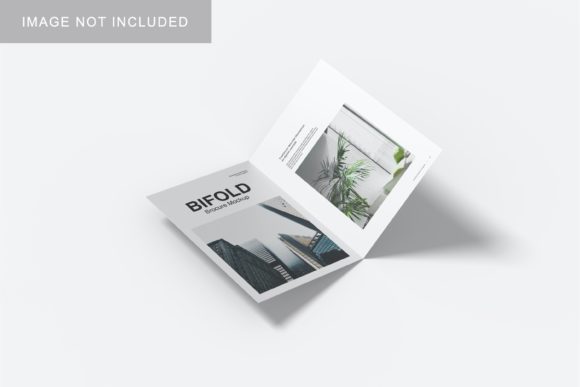
Bifold Mockup V1: Professional Design Showcase
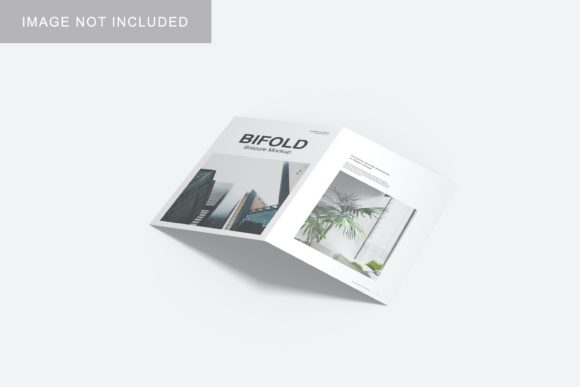
In the competitive landscape of digital design and branding, first impressions are everything. Whether you are a freelance graphic designer pitching to a client, an entrepreneur launching a new product line, or a marketer preparing a social media campaign, the way you present your work can make or break the deal. Static images of flat designs often fail to convey depth, texture, and realism. This is where high-quality mockups become an indispensable tool in a creator’s arsenal. Bifold Mockup V1 stands out as a practical, efficient solution for professionals who need to display their artwork in a realistic 3D environment without spending hours on complex rendering processes.
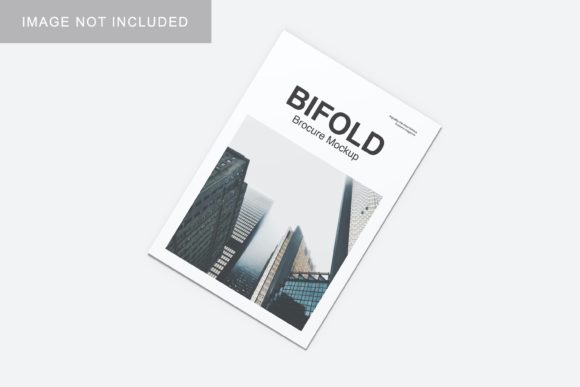
This specific mockup template is designed to bridge the gap between abstract digital concepts and tangible real-world applications. By providing a lifelike representation of a bifold layout, it allows designers to visualize how their work will appear when printed or viewed in a folded format. The emphasis here is not just on aesthetics, but on workflow efficiency. In an industry where time is money, tools that streamline the presentation process while maintaining high visual standards are highly valued. Bifold Mockup V1 addresses this need by combining professional-grade visuals with user-friendly technical features.
Understanding the Core Features
At its heart, Bifold Mockup V1 is a PSD (Photoshop Document) file engineered for ease of use. The primary selling point for most users is its integration of smart-object technology. For those unfamiliar with Adobe Photoshop, smart objects are layers that contain image data from raster or vector images. They preserve an image’s source content with all its original characteristics, allowing you to perform non-destructive edits. In the context of this mockup, this means you do not need to manually align, warp, or mask your design onto the surface. Instead, you simply double-click the designated layer, paste your own artwork, save, and the mockup updates instantly.
The resolution and dimensions of the file are tailored for both screen and print needs. With a size of 3000x2000 pixels at 300 DPI, the output is crisp enough for high-resolution printing and sharp enough for detailed web viewing. This ensures that whether you are submitting a PDF portfolio or uploading a preview image to a marketplace like Etsy or Creative Market, the quality remains uncompromised. The inclusion of a changeable background color adds another layer of versatility. A neutral background might suit a corporate presentation, while a vibrant hue could enhance a creative portfolio. This flexibility allows the same mockup to serve multiple branding contexts without requiring additional downloads.
Streamlining Your Workflow
One of the most significant benefits of using Bifold Mockup V1 is the reduction in preparation time. Traditional methods of creating realistic mockups often involve manual layer manipulation, shadow adjustments, and lighting effects. These tasks can be tedious and prone to error. By utilizing the pre-built smart-object structure, you bypass these technical hurdles entirely. The provided PDF help guide further simplifies the onboarding process, ensuring that even users with intermediate Photoshop skills can achieve professional results quickly. This accessibility makes the tool suitable for a wide range of users, from seasoned agencies to hobbyists looking to elevate their side projects.
Practical Applications Across Industries
The utility of Bifold Mockup V1 extends far beyond simple graphic design. Its realistic 3D display capability makes it a valuable asset across various professional and personal domains. Here is how different groups can leverage this tool effectively:
- Graphic Designers and Agencies: When presenting brand identity packages, showing how logos and typography look on folded materials—such as brochures, flyers, or invitation cards—adds a layer of professionalism. It helps clients visualize the final product, reducing revision cycles and increasing confidence in the design.
- Entrepreneurs and Product Owners: If you are launching a startup, you likely need marketing materials. Using this mockup allows you to create polished previews for crowdfunding campaigns, investor decks, or e-commerce listings before the physical product is even manufactured. It serves as a powerful communication tool to convey your vision clearly.
- Educators and Content Creators: Teachers and bloggers often need to illustrate concepts visually. Whether you are designing educational handouts or creating thumbnails for video tutorials, a clean, realistic mockup can make your content more engaging and easier to understand.
- Freelancers and Portfolio Builders: A strong portfolio is essential for securing gigs. Bifold Mockup V1 enables freelancers to showcase their best work in a context that looks finished and polished. This elevates the perceived value of their services and helps them stand out in a crowded market.
Why Realism Matters in Digital Presentations
In the digital age, consumers are bombarded with information. To cut through the noise, presentations must be visually compelling. Flat, two-dimensional images can sometimes feel sterile or unfinished. A 3D mockup introduces elements of depth, shadow, and perspective, which our brains naturally associate with physical reality. This psychological effect can significantly enhance engagement. When a potential client sees a design rendered realistically, they are more likely to imagine themselves using or owning the product. This emotional connection is crucial for conversion rates in sales and marketing.
Furthermore, consistency in presentation builds trust. By using a standardized, high-quality mockup like Bifold Mockup V1 across all your project submissions, you establish a cohesive brand identity for your own services. It signals attention to detail and a commitment to quality. This subtle cue can differentiate you from competitors who may rely on low-effort, generic templates.
Considerations for Effective Use
While Bifold Mockup V1 offers numerous advantages, there are practical considerations to keep in mind to get the best results. First, always ensure your source design is high-resolution. Since the mockup itself is 300 DPI, pasting a low-res image into the smart object will result in pixelation. It is best practice to prepare your artwork in vector formats (like AI or EPS) or high-DPI raster files before importing them.
Additionally, pay attention to the aspect ratio of your design. The bifold format has specific proportions that must be respected. If your design does not fit correctly within the smart object boundaries, it may lead to awkward cropping or distortion. Taking a moment to adjust the scale and position within the smart object window can prevent these issues. Finally, remember that the photos used in promotional previews are for illustration purposes only. You have the freedom to customize the background and lighting effects to match your specific aesthetic preferences, making each presentation unique.
Conclusion
Bifold Mockup V1 represents a smart investment for anyone involved in visual communication. It combines technical simplicity with professional output, addressing the common pain points of time consumption and quality inconsistency. By leveraging its smart-object features and customizable options, designers, marketers, and business owners can present their ideas with clarity and impact. In a world where visual appeal drives decision-making, having the right tools to showcase your work effectively is not just a luxury—it is a necessity. Embracing such resources allows you to focus more on creativity and strategy, leaving the technical heavy lifting to well-designed templates.