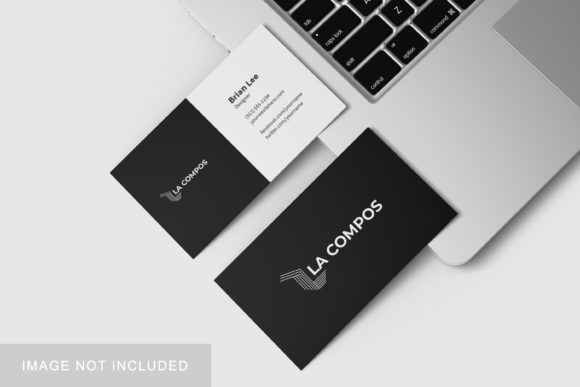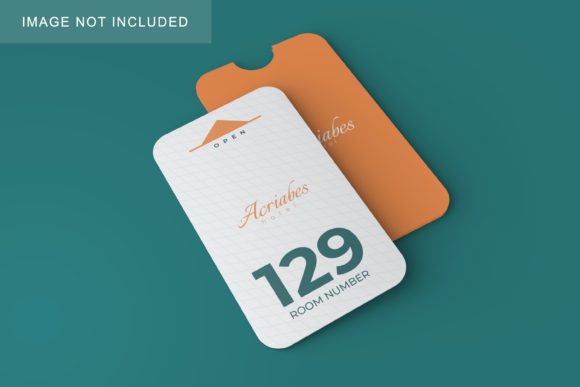
Minimalist Card Holder Mockup V1
In the world of graphic design and branding, first impressions are everything. When you present a logo or a brand identity to a client, the context in which it is displayed can make the difference between a "nice idea" and a "professional solution." This is where Minimalist Card Holder Mockup V1 becomes an indispensable tool for designers, entrepreneurs, and marketers looking to elevate their presentation game without spending hours on complex 3D rendering.
This mockup is designed to bridge the gap between a flat digital file and a tangible, realistic product. It offers a clean, sophisticated aesthetic that allows your designs to take center stage. Whether you are a freelance designer pitching a rebranding package, a small business owner preparing marketing materials, or a student showcasing a portfolio project, this resource provides the professional polish needed to communicate value effectively.
Why Realism Matters in Design Presentations
Flat images of logos on white backgrounds often fail to convey how a design will look in the real world. Clients and stakeholders need to visualize the final product to truly appreciate the work. A minimalist card holder serves as an excellent canvas because it is ubiquitous yet intimate; everyone carries one, and it sits in pockets, wallets, and desks daily.
Minimalist Card Holder Mockup V1 addresses this need by providing a realistic 3D display. It simulates lighting, shadows, and textures that give depth to your graphics. This realism helps build trust with clients because it demonstrates that you understand not just the visual aspect of design, but also its physical application. It transforms abstract concepts into concrete realities, making your pitch more persuasive and your portfolio more compelling.
Key Features and Technical Specifications
The utility of any design asset lies in its ease of use and technical quality. This mockup is built with efficiency in mind, ensuring that you can focus on creativity rather than troubleshooting software issues. Here is a breakdown of what makes this specific version stand out:
- Smart-Object Technology: The core strength of this mockup is its compatibility with Adobe Photoshop’s Smart-Object features. You do not need advanced 3D modeling skills. Simply double-click the smart-object layer, paste your design, save, and watch it map perfectly onto the card holder. This process takes seconds, allowing for rapid iteration and multiple variations.
- High-Resolution Output: With a resolution of 300 dpi and dimensions of 3000x2000 pixels, this mockup is print-ready. Whether you are creating high-quality PDFs for email presentations or printing large banners for trade shows, the image clarity will remain crisp and sharp.
- Versatile Background Options: Understanding that different contexts require different visuals, this set includes four changeable background colors. This flexibility allows you to match the mockup to your brand’s color palette or create contrast that highlights specific elements of your design.
- Comprehensive Support: For those who may be less familiar with Photoshop workflows, a PDF help guide is included. This ensures that even beginners can utilize the smart-object features correctly, reducing the learning curve significantly.
Practical Applications Across Industries
The versatility of Minimalist Card Holder Mockup V1 extends far beyond simple business card designs. Its neutral and elegant style makes it suitable for a wide array of professional environments.
For Freelancers and Agencies
When pitching to potential clients, time is money. Instead of spending hours rendering a scene in Cinema 4D or Blender, you can generate professional-looking presentations in minutes using this PSD file. Use it to showcase stationery suites, including letterheads, envelopes, and social media headers, all presented in a cohesive, realistic manner. This efficiency allows you to handle more clients without compromising on the quality of your deliverables.
For Entrepreneurs and Small Business Owners
If you are launching a new brand, you likely have a limited budget for photography. Hiring a photographer for product shoots can be expensive. This mockup offers a cost-effective alternative. You can visualize your logo on actual business cards before committing to a print run. This allows you to test different color combinations and font pairings digitally, saving money on wasted prints and helping you make informed decisions about your brand identity.
For Educators and Students
In academic settings, presentation quality often impacts grading. Students studying graphic design, marketing, or communications can use this mockup to demonstrate their understanding of brand application. It teaches them how to present their work professionally, a crucial skill for entering the job market. Educators can recommend this tool to ensure students produce portfolios that meet industry standards.
For Content Creators and Bloggers
Visual content drives engagement on social media platforms like Instagram and Pinterest. A well-composed mockup image is far more likely to stop the scroll than a plain screenshot. Use Minimalist Card Holder Mockup V1 to create eye-catching posts that showcase your latest projects, attract followers, and establish authority in your niche. The clean aesthetic aligns well with modern social media trends that favor minimalism and clarity.
Enhancing Brand Communication and Engagement
Design is not just about aesthetics; it is about communication. The way you present your work signals your attention to detail and professionalism. By using a high-quality mockup, you signal to your audience that you care about the entire user experience, from the initial concept to the final printed product.
Furthermore, the ability to quickly swap designs encourages experimentation. You might try a bold, colorful logo alongside a subtle, monochromatic version to see which resonates better with your target audience. This iterative process fosters creativity and leads to stronger final outcomes. The ease of use provided by the smart-object feature removes technical barriers, allowing you to focus on the strategic aspects of your design.
Considerations for Implementation
While Minimalist Card Holder Mockup V1 is a powerful tool, there are a few practical considerations to keep in mind for best results.
File Compatibility: Ensure you are using a version of Adobe Photoshop that supports the smart-object features utilized in the PSD file. While most recent versions are compatible, older iterations may lack certain functionalities.
Design Resolution: To maintain the crispness of the 300 dpi output, ensure that your own designs are created at a sufficient resolution. Uploading a low-resolution image into the smart-object will result in pixelation when exported at high quality.
Lighting and Shadows: Although the mockup handles the lighting automatically, be mindful of the contrast between your design and the card holder material. If your design is very light, it might get lost against a similar background. Use the changeable background options to enhance visibility and impact.
Preview Images: As noted in the product description, the photos used in previews are for illustration purposes only. Always rely on the actual PSD file to generate your unique assets. This ensures that your final output is original and tailored specifically to your brand needs.
Conclusion
In a competitive landscape, the details matter. Minimalist Card Holder Mockup V1 offers a streamlined, professional, and efficient way to present your design work. By combining high-resolution quality with user-friendly smart-object technology, it empowers creators across various fields to showcase their talents with confidence. Whether you are refining your personal brand or presenting to corporate clients, this mockup provides the realistic context needed to turn good designs into great impressions.