Evaluating the Trifold Mockup Top View for Professional Design Presentations
In the competitive landscape of graphic design, the presentation of work is often as critical as the work itself. Designers frequently face the challenge of translating flat, two-dimensional concepts into tangible, realistic representations that clients can easily visualize. Among the various tools available to bridge this gap, the Trifold Mockup Top View has emerged as a specialized resource for professionals seeking efficiency and realism in their portfolio displays. This article provides a comprehensive evaluation of this specific mockup format, analyzing its technical specifications, workflow advantages, and suitability for different design scenarios.
Understanding the Core Concept
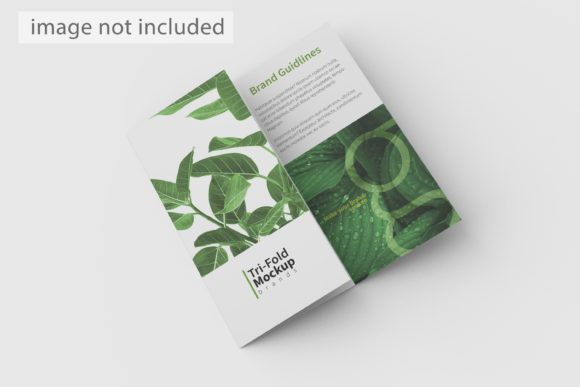
A trifold brochure is a standard marketing collateral format, consisting of a single sheet folded twice to create six panels. While many designers are familiar with creating the actual layout files, few have the time or software expertise to render photorealistic 3D environments from scratch. The Trifold Mockup Top View addresses this bottleneck by offering a pre-rendered perspective that simulates how a physical brochure looks when laid flat on a surface, viewed directly from above.
This top-down perspective is distinct from angled or eye-level views. It emphasizes symmetry, alignment, and the relationship between the front cover, inner panels, and back cover without the distortion introduced by camera angles. For designers focusing on typography, grid systems, and color theory, this view offers a clean canvas that allows the client to assess the layout integrity without being distracted by environmental context. The item is designed to showcase designs professionally in a realistic 3D display, providing depth and shadow effects that suggest materiality—such as paper weight and fold creases—while maintaining a flat, accessible editing interface.
Technical Specifications and Workflow Efficiency
The primary value proposition of the Trifold Mockup Top View lies in its integration with Adobe Photoshop’s smart-object technology. For professionals who manage high volumes of client revisions or maintain active portfolios, the ability to update designs quickly is paramount. This tool is available in PSD Photoshop format, leveraging smart-object features to help replace current designs with your own within seconds.
The Smart-Object Advantage
Traditional mockups often require complex layer masking, manual warping, and blending mode adjustments to fit a new design onto a template. In contrast, the smart-object workflow simplifies this process significantly. Users simply double-click the designated smart-object layer, paste their flattened design file (typically JPG or PNG), save the changes, and the mockup updates automatically. This non-destructive method ensures that the original texture, lighting, and shadow data of the mockup remain intact while the content changes.
Furthermore, the file is provided at a substantial resolution of 3000x2000 pixels with a density of 300 dpi. These specifications are crucial for both screen-based presentations and high-quality print outputs. A 300 dpi resolution ensures that when the final image is printed for a portfolio book or displayed on high-resolution monitors, the text remains crisp and the paper textures do not pixelate. The 3000-pixel width provides ample horizontal space to accommodate the full spread of a trifold brochure, ensuring that no details are cropped out during export.
Customization Capabilities
Beyond just swapping the central design, the Trifold Mockup Top View includes a changeable background-color feature. This flexibility allows designers to tailor the presentation to match brand aesthetics or to create mood variations. Whether a designer wants to present a corporate brochure against a stark white background for clarity or a textured dark surface for dramatic effect, the ability to adjust the base color enhances the versatility of the asset. Additionally, the inclusion of a PDF help guide ensures that users, even those less experienced with advanced Photoshop techniques, can navigate the file structure and utilize the smart objects effectively.
Comparative Analysis: Top View vs. Angled Perspectives
When selecting a mockup format, designers must decide between top-view presentations and traditional angled or lifestyle shots. Each approach serves different communicative purposes, and understanding these differences is key to making an informed decision.
- Top View (Flat Lay): The Trifold Mockup Top View excels in clarity and detail. Because there is no perspective distortion, the viewer can read text and inspect graphical elements accurately. This makes it ideal for editorial layouts, information-heavy brochures, or designs where the hierarchy of information is the primary focus. It mimics the experience of holding the brochure open on a table, which is a common real-world interaction.
- Angled/3D Perspective: Angled mockups provide a sense of scale and environment. They show how the brochure interacts with light and shadow in a more dynamic way, suggesting a "lifestyle" context. However, they can obscure parts of the design due to foreshortening, making them less suitable for showcasing intricate typographic details or small print elements.
For projects where the goal is to demonstrate layout precision and content organization, the top view is generally superior. Conversely, if the design relies heavily on atmospheric imagery or needs to convey a tactile, physical presence in a casual setting, an angled view might be more appropriate. Many professional workflows utilize both: using the top view for detailed portfolio entries and angled views for social media teasers.
Limitations and Considerations
While the Trifold Mockup Top View is a robust tool, it is important to acknowledge its limitations. The most significant constraint is the fixed perspective. Since the angle is predetermined, designers cannot rotate the brochure to show spine details or side profiles. If a project requires demonstrating the thickness of the paper stock or the binding mechanism, this mockup will not suffice.
Additionally, users should note that photos used in the preview images are not included in the download; they serve only for illustration purposes. This means the final output will rely entirely on the user’s design content and the selected background color. There is also a learning curve associated with managing smart objects for beginners. Although the PDF guide assists with this, users unfamiliar with Photoshop’s layer management may find the initial setup slightly technical compared to drag-and-drop web-based mockup generators.
Best-Fit Scenarios and Decision Factors
Determining whether the Trifold Mockup Top View is the right choice depends on the specific requirements of the project and the target audience. This resource is particularly well-suited for:
- Portfolio Presentations: Graphic designers looking to display a clean, organized body of work benefit from the neutral, distraction-free nature of the top view.
- Client Revisions: Agencies requiring rapid turnaround times for multiple design iterations will appreciate the speed of the smart-object replacement feature.
- Print-Ready Previews: Clients who need to visualize how their design will look when printed on standard paper stocks can rely on the 300 dpi accuracy to judge color fidelity and sharpness.
However, if a designer is working on a highly artistic, experimental brochure where the physical manipulation of the paper is part of the creative concept, they might need a more flexible, multi-angle mockup set. Similarly, for digital-only deliverables where screen size is small, the high resolution might be overkill, and a lower-res web version could be more efficient.
Conclusion
The Trifold Mockup Top View represents a practical, high-fidelity solution for designers who prioritize clarity, efficiency, and professional presentation. By combining a realistic 3D aesthetic with the ease of use offered by Photoshop smart objects, it streamlines the workflow from concept to final display. Its 3000x2000 px resolution and customizable background options add further value, making it adaptable to various branding needs. While it does not replace the need for angled perspectives in every scenario, it stands out as an essential tool for any designer’s toolkit who wishes to showcase trifold layouts with precision and polish. When evaluating mockup resources, considering the balance between visual realism and editing convenience—as demonstrated by this top-view format—is crucial for maximizing productivity and enhancing client communication.