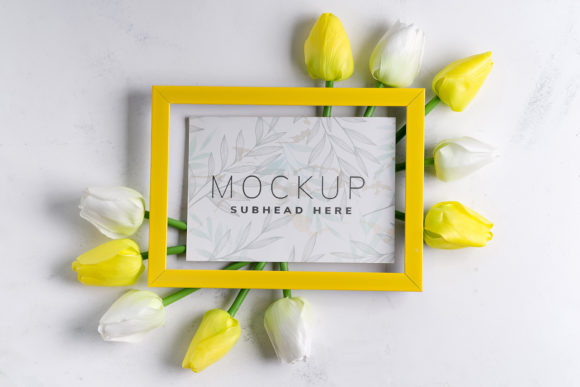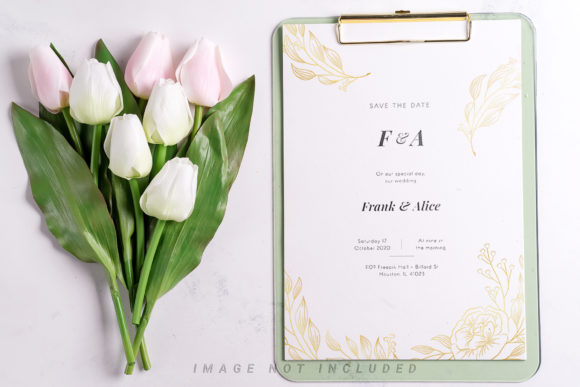
Pastel Tulips with Clipboard Mockup Evaluation
The visual presentation of design work is a critical component of professional communication. Whether you are a graphic designer showcasing a portfolio, a marketer preparing client proposals, or an entrepreneur creating product assets, the context in which a design is displayed significantly impacts its perceived value. The Pastel Tulips with Clipboard Mockup offers a specific solution for this need, providing a realistic environment to present flat designs within a cohesive aesthetic. This evaluation explores the technical specifications, usability features, and strategic applications of this tool to help professionals determine if it aligns with their workflow requirements.
Understanding the Core Functionality
At its foundation, the Pastel Tulips with Clipboard Mockup is a high-resolution photographic asset designed for use in Adobe Photoshop. Unlike 3D renders or vector illustrations, this mockup utilizes real-world photography to ensure authenticity. The image captures a clipboard adorned with pastel tulips, serving as a neutral yet visually appealing backdrop for user content. The primary mechanism for customization involves the use of a smart layer object. By placing a design into this designated area, the software automatically applies perspective, lighting, and texture adjustments, allowing the user's artwork to appear naturally integrated into the scene.
The file structure is built around efficiency. Each download includes a Safety Zone feature, which defines the boundaries where content can be placed without being cropped or distorted by the physical edges of the clipboard. This safety zone is often indicated by guide lines that users can activate or deactivate within the layers panel. This technical detail ensures that typography and graphical elements remain fully visible, addressing one of the most common frustrations in mockup usage: accidental cropping of vital design details.
Technical Specifications and Quality Standards
For professionals who require print-ready assets or high-fidelity digital displays, resolution is a non-negotiable factor. This mockup is provided at a size of 6016×4016 pixels with a resolution of 300 DPI. These specifications indicate that the file is suitable for large-format printing, such as posters or banners, as well as high-definition web presentations. The high pixel count allows designers to zoom in on details without introducing pixelation, maintaining the integrity of the final output.
The inclusion of documentation in the form of a .psd file is standard but essential. It ensures that all layers are organized logically, making the editing process intuitive even for those less familiar with complex Photoshop workflows. The active smart object feature simplifies the update process; once a new design is pasted into the smart object layer and saved, the changes reflect instantly across the entire composition. This eliminates the need for manual masking or warping, saving significant time during the revision phase.
Strategic Applications and Use Cases
Designers often seek tools that bridge the gap between abstract concepts and tangible reality. The Pastel Tulips with Clipboard Mockup is particularly effective in scenarios requiring a soft, approachable, or feminine aesthetic. The pastel color palette combined with floral elements creates an atmosphere that is welcoming and organic. This makes the mockup a strong fit for industries such as wellness, lifestyle branding, children's products, and boutique retail.
Consider a scenario where a brand is launching a line of organic skincare products. A standard white background might feel sterile and disconnected from the natural ingredients of the product. In contrast, presenting the packaging design on a clipboard surrounded by pastel tulips reinforces the brand's connection to nature and gentleness. Similarly, event planners or stationery designers can use this mockup to visualize invitations, menus, or certificates in a setting that suggests elegance and care.
Evaluating Limitations and Tradeoffs
While the mockup offers numerous advantages, it is important to understand its constraints to manage expectations effectively. One primary limitation is the static nature of the imagery. Because this is a photograph rather than a 3D model, the background cannot be changed. The lighting conditions, shadows, and the specific arrangement of the tulips are fixed. Users seeking to place their design against a dark wall, a wooden table, or a different seasonal theme will find this mockup unsuitable for those specific contexts.
Furthermore, the mockup does not include pre-applied typography. Some premium mockups come with placeholder text that mimics the final look, but this file requires the user to input their own text or design elements manually. While this offers greater creative freedom, it also places the burden of layout and type selection entirely on the designer. Additionally, the "Safety Zone" lines, while helpful, must be managed carefully. If a user forgets to hide these guides before exporting the final image, they may inadvertently leave visible artifacts in the deliverable.
Comparative Considerations
When evaluating the Pastel Tulips with Clipboard Mockup against alternatives, the decision often comes down to versatility versus specificity. For designers working on a broad range of projects, a generic clipboard mockup with a neutral background might offer more flexibility. Such a tool could be used for corporate reports, tech presentations, or industrial portfolios where the floral aesthetic would be inappropriate. However, if the project specifically calls for a delicate, pastel-driven narrative, the generic alternative would fail to provide the necessary emotional resonance.
Similarly, compared to 3D mockups, this photographic version lacks the ability to rotate the angle of view or change the lighting direction. 3D models allow for dynamic manipulation, offering multiple angles from a single purchase. However, 3D rendering can sometimes result in a slightly artificial look if not textured perfectly. The photographic approach of the Pastel Tulips with Clipboard Mockup provides a level of realism that is difficult to achieve digitally, often resulting in a more trustworthy and grounded presentation for clients.
Decision-Making Insights
To determine if this mockup is the right choice for your current project, consider the following criteria:
- Aesthetic Alignment: Does your brand identity or project theme complement a soft, floral, and pastel color scheme? If yes, this is a strong candidate.
- Output Requirements: Do you need high-resolution files (300 DPI) suitable for print? The 6016×4016 px dimensions meet this requirement.
- Workflow Efficiency: Are you looking for a quick way to visualize designs without complex 3D setup? The active smart object feature supports rapid iteration.
- Flexibility Needs: Do you require the ability to change the background or lighting? If so, this static photo may limit your options.
Ultimately, the Pastel Tulips with Clipboard Mockup serves as a specialized tool rather than a universal solution. It excels in environments where visual storytelling relies on warmth and organic textures. By understanding its technical capabilities and aesthetic boundaries, professionals can leverage this asset to create compelling visual narratives that resonate with their target audience.